USUG
Inspection and monitoring system
Field inspection, recording, oversight and reporting in one flow.

BizPro is a platform for building business systems.
Model your data.
Draw your process.
Connect people, AI and other systems.
Then run it.
Not fitting your business to the software. Turning your business process into the system.
You define what gets recorded
You draw how work moves
Who decides, what AI speeds up
Web, phone, integrations
One platform. Many kinds of business.
Business software is usually bought finished. It fits for a year, then the business changes and the software does not, and the gap is filled with spreadsheets. BizPro is built the other way round: the shape of your records, the steps of your processes and the screens people use are all things you can change while the system keeps running.
Why this combination matters. Flexible data on its own becomes a mess. A workflow engine on its own has nothing to move. Modules without adaptability get forked per customer. Put together — and kept visible — they make a company's processes something it can keep improving, connect its internal systems (ERP, finance, devices) into, and extend across the marketplace to the businesses it works with. A stable business grows by exactly that: improving its processes.
A process drawn in a workshop and a process running in production are usually two different things. Here they are the same thing.
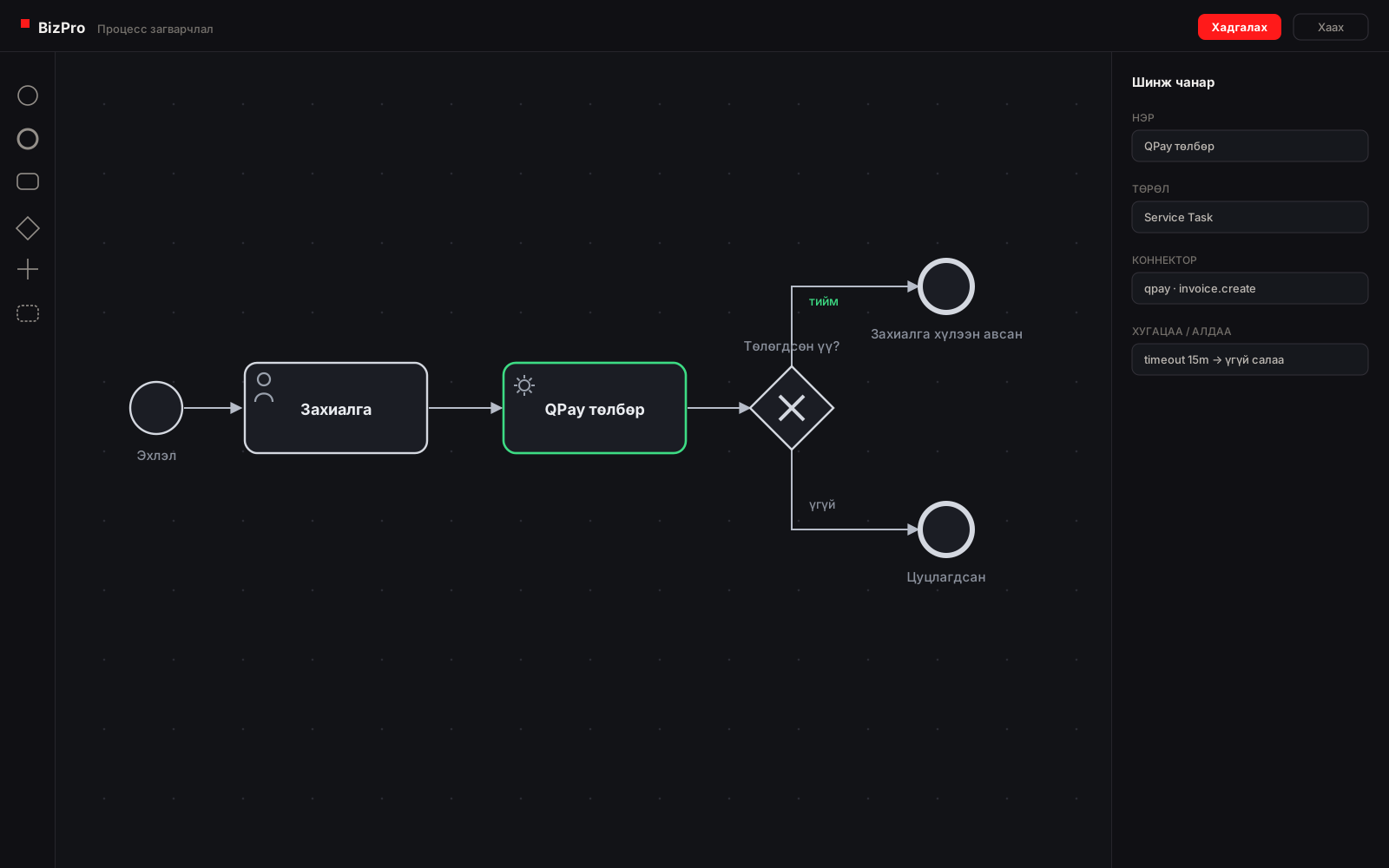
Instead of burying business logic in thousands of lines of code, you draw it as a BPMN 2.0 process.
Who does each step, what condition opens the next one, which system gets called, what record comes out — the process itself governs all of it. There is no second implementation behind the diagram; the engine runs exactly what you drew.
You read the process and understand it. Change it, and you can see what changes.

One sentence becomes a running process. The prompt is typed, the editor draws the diagram, the engine runs it — and every paid order lands in the task list on the right. What the AI drew is exactly what executes.
BPMN 2.0 is ISO/IEC 19510, an open standard. What is drawn in BizPro can be read by anyone who knows the standard, and by an AI agent that has been trained on it.
There is no second implementation behind the diagram, so the diagram cannot drift away from what the system does.
A step can be a person's task, a call to another system, a timer that waits or escalates, or a decision that branches. One model covers all of them.
Who was assigned, who acted, what they submitted and when — recorded as the process runs, not reconstructed afterwards.
A process can have more than one participant, so a step performed by a supplier or a contractor is part of the same process, not a message sent into a void.
Processes are versioned. A new version can be published while work started under the old one finishes under the rules it began with.
About the standard. BizPro uses BPMN 2.0 notation and an execution architecture built on it. BPMN 2.0 is specified by ISO/IEC 19510, which applies to the notation — it does not mean BizPro itself holds an ISO certification.
The part of a business system that is normally hardest to change is the part that changes most often.
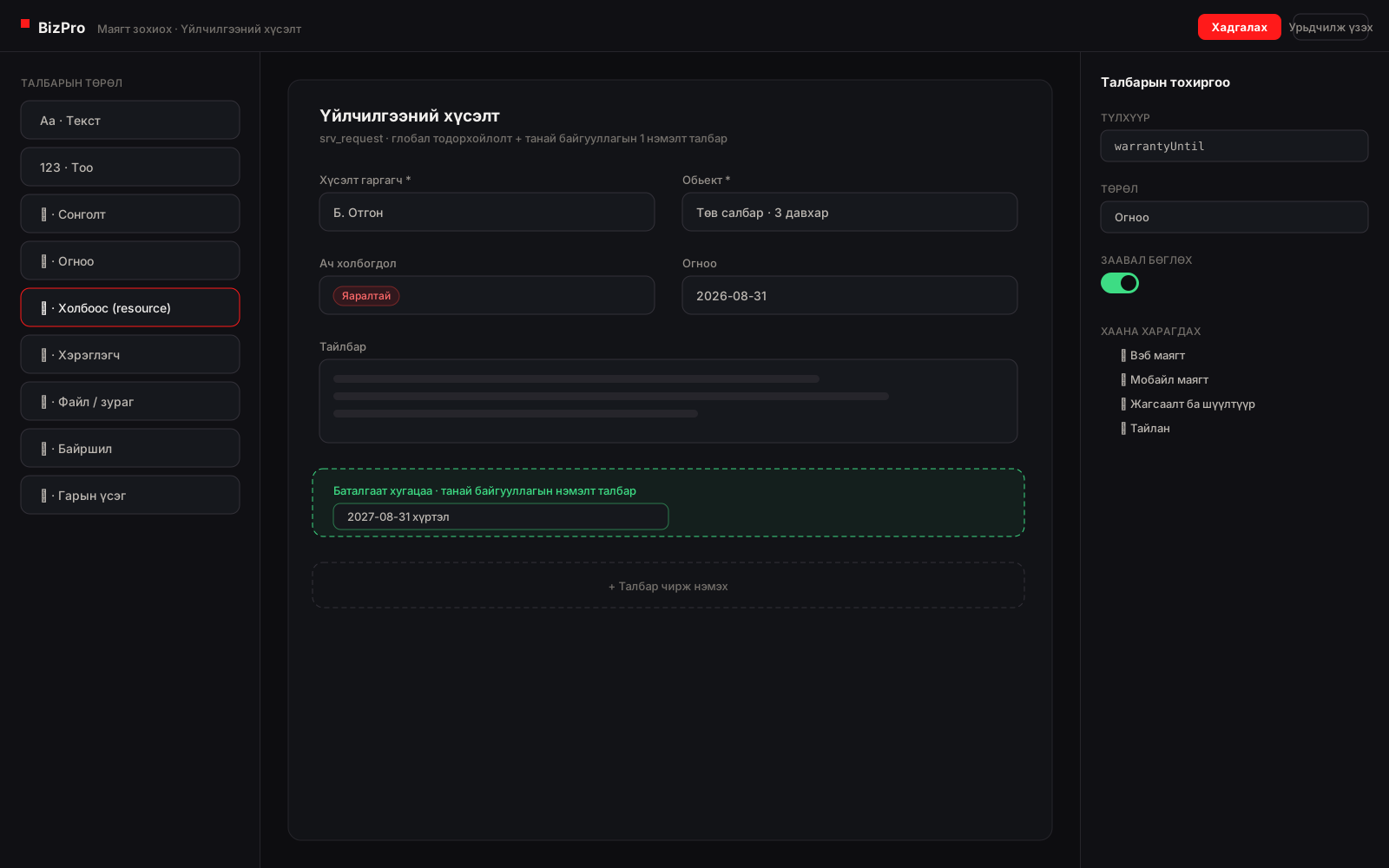
In a conventional system, adding one field often means touching the table, a migration, the model, the API and the form at once. In BizPro the shape of your business data can be declared as a DynamicData definition.
Nothing has to be rewritten to get there.
| Requester | Site | Priority | Warranty until |
|---|---|---|---|
Add a field, and it is everywhere. The form, the list, the filter, the mobile screen and the report all read one definition — so the new field does not have to be added five times.
Build a form by choosing fields, sections, rules and validation. It renders on the web and in the mobile apps from the same definition.
Add, rename or retire a field without a migration and without downtime. Existing records keep what they had.
One definition can be global to the platform and still be extended by a single organisation — extra fields, its own form, its own rules — without forking anything.
A new field is available to lists, filters, search, workflows, reports and the mobile app as soon as it exists. Nothing has to be wired up field by field.
Flexible does not mean unstructured. Types, required rules and relationships are enforced, so the data stays reportable.
When a record type grows into a high-volume table, it can be moved onto dedicated storage without the screens or processes that use it changing.
AI is good at producing a great deal of structure quickly. The hard part has always been checking it. BizPro's answer is to make the structure something a person can look at.
The same job can be handed to AI two ways. The difference is what you have to hand over.
The more code there is, the larger the context AI needs. If the answer is wrong, the loop runs again.
On BizPro, rather than re-reading a whole codebase, AI can work with something smaller and structured.
Instead of handing a large codebase to AI over and over, you hand it the process and the definitions.
That can bring token usage and development context down noticeably. It is a property of the architecture — we are not going to quote a percentage we have not measured.
Resource Definition
{
    fields...
}
AI writes less code. There is less for a person to check.
AI is not what makes BizPro useful. It speeds the work up. But a person can do all of this with the low-code tools:
Build it with AI. Fix it by hand. Both work on the same system.
Every AI feature in BizPro — the setup assistants, the module agents, the support chat, the MCP server for outside agents — runs on one stack. Six layers, each with one job, and none of them takes over another's.
MCP exposes capability, skills govern procedure, and the model interprets and composes. No layer does another's job — which is what keeps a wrong answer from becoming a wrong write.
Every change is a proposal or a change set that a person confirms. The confirmation is a browser action with no API behind it, so a token an agent holds cannot confirm its own work.
Tenant and user come from the session. A tool cannot name the tenant it wants to act as, and every semantic read is scoped to the person asking — the same rows they could open on a page.
The accounting setup assistant reads a chart of accounts from Excel, maps it to the standard chart, proposes opening balances and posting defaults — and a person confirms each card. The hotel module lands a tenant from a recipe with no hotel code in the engine.
Every layer above is in the product today, with its tests — not on a roadmap. The design is documented phase by phase in the platform's development plan.
"Field engineers should record a site visit, and anything over two hours needs a supervisor's approval."
Record definitions, a form, a BPMN process, permissions and a screen — built out of the platform's existing patterns rather than invented from scratch.
The draft becomes real definitions and a real process, subject to the same rules, permissions and tenant boundaries as anything built by hand.
The diagram is read, the form is filled in once as a test, the gap is spotted and corrected — then it goes live.
Nothing an AI drafts takes effect until a person applies it. Intent, review and the decision to go live are all human.
The slow part of building a business system is assembling all the pieces consistently. That is exactly what AI is good at, and what the platform gives it a pattern for.
Because reusable modules, definitions and process patterns already exist, an AI agent is composing known building blocks instead of generating an application line by line.
A diagram and a form can be checked by the person who knows the work. Correctness is judged by the business, not only by an engineer.
Because the flow is visible, a test is obvious: follow the path, submit the form, check the history. There is no hidden branch to guess at.
The things every business system needs are already here.
Many organisations. One platform. Separated data.
Companies, units, positions and the people in them.
Who may see what, and who may do what, managed in one place.
An authorised administrator can look into a problem from the user's own view.
While someone is away, their work moves to a colleague for a fixed period.
Assigned work, approvals and process tasks in one list.
A place to talk, per person, per team, per process.
System, mobile and other notification channels.
The web application is where systems get built, configured and managed. The mobile apps carry the work that happens elsewhere — on a site, in a vehicle, on a shop floor, in a customer's building. They render the same forms from the same definitions, so a form built once works in both places, and they hold what was entered until there is a connection to send it.
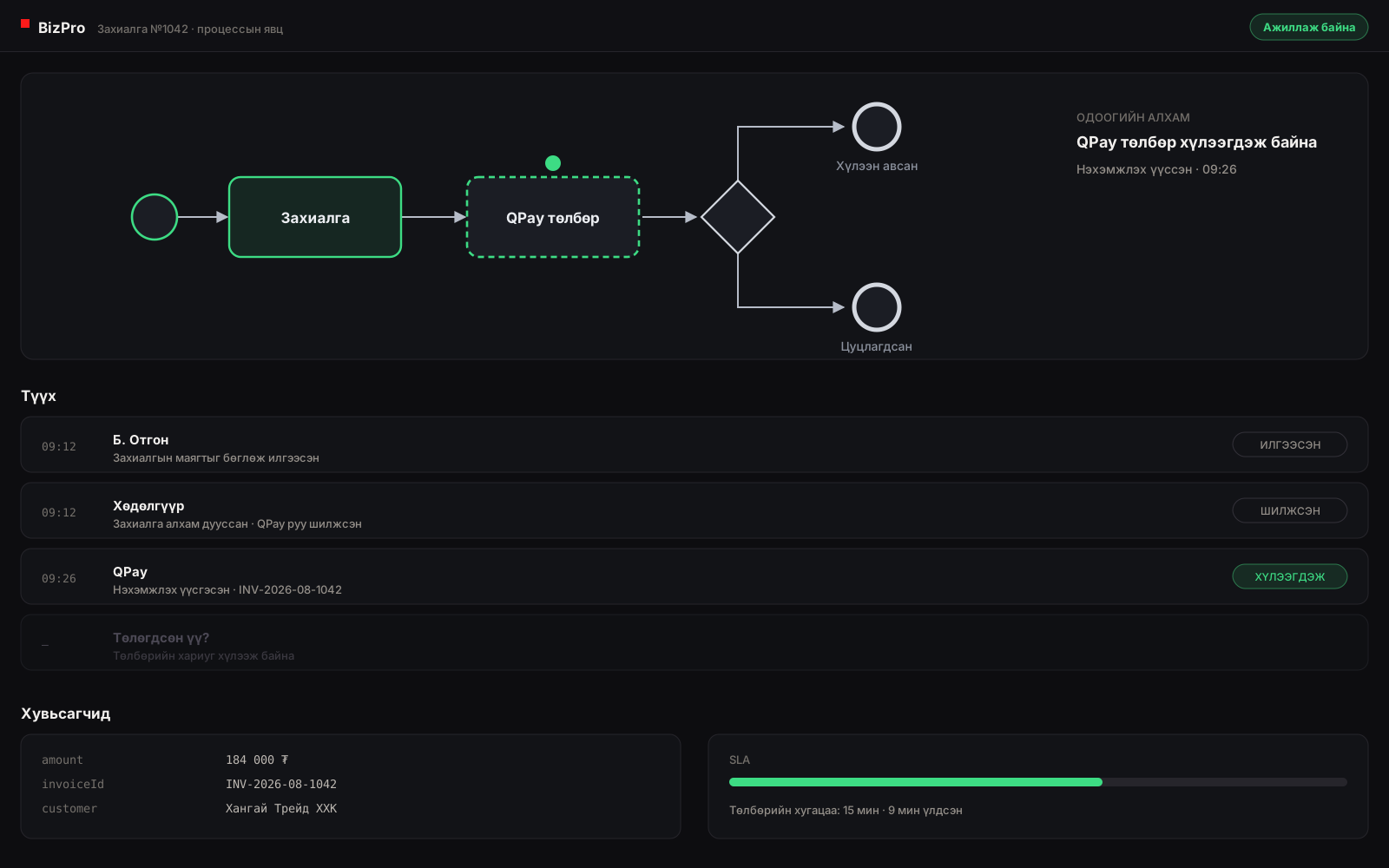
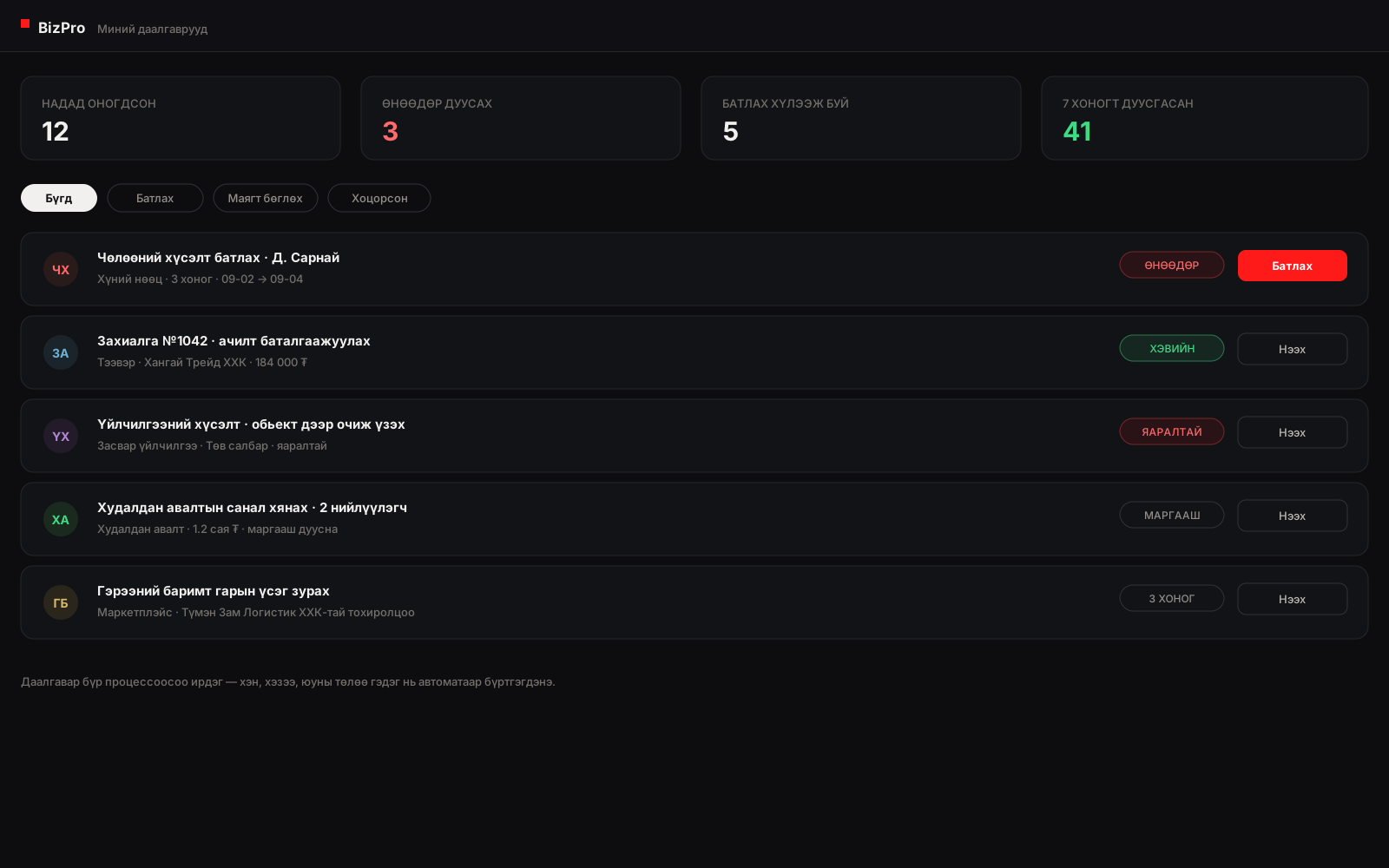
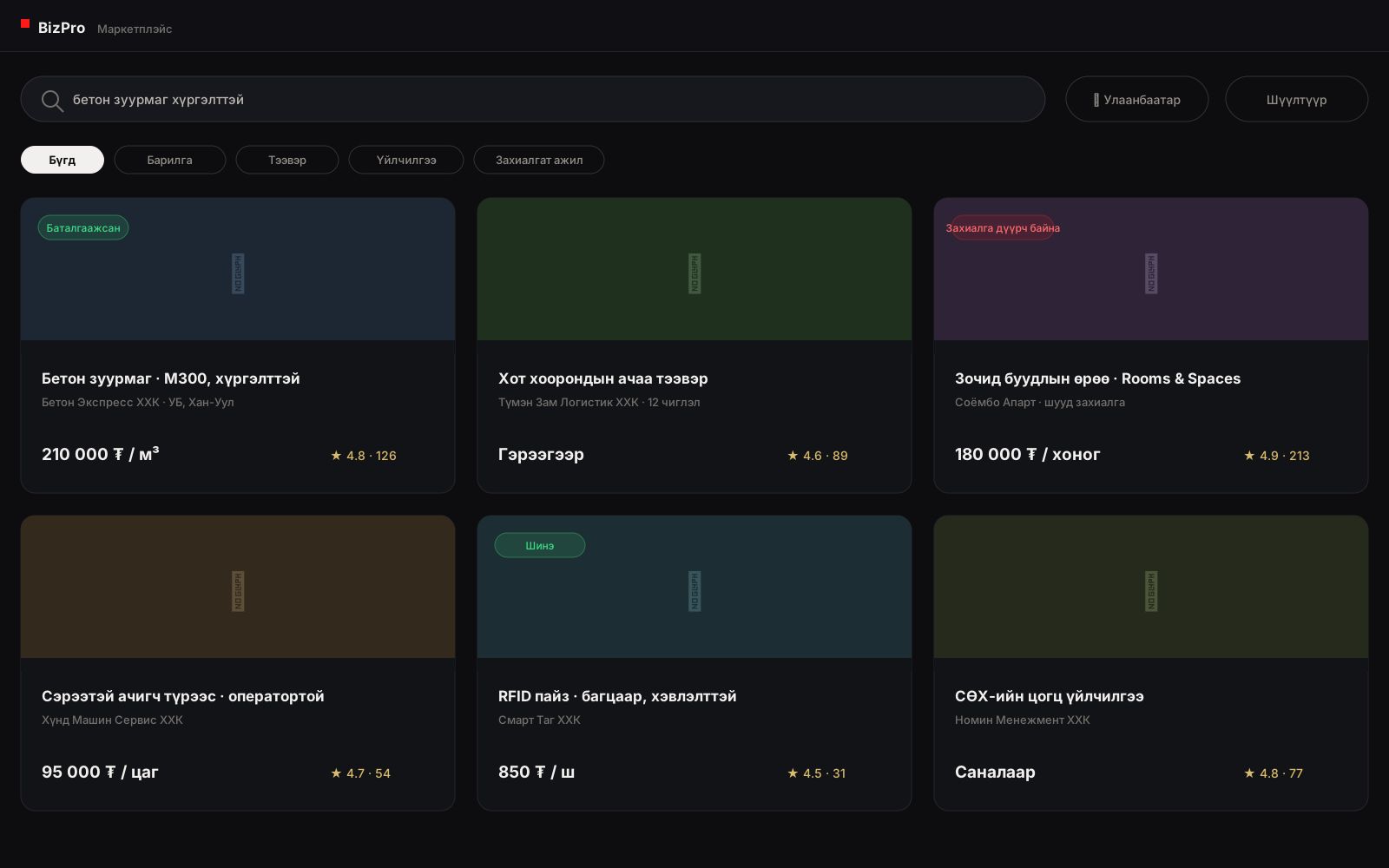
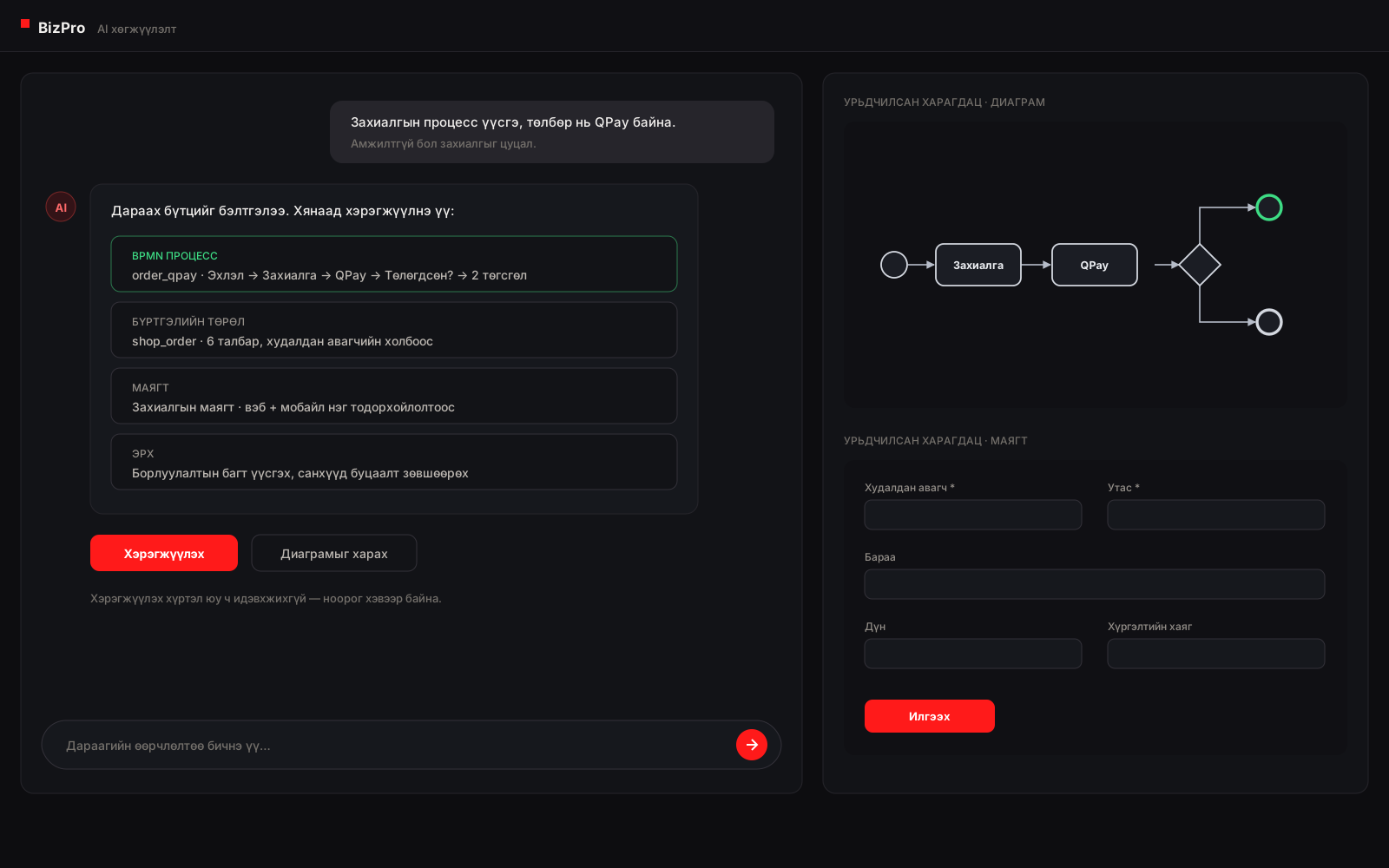
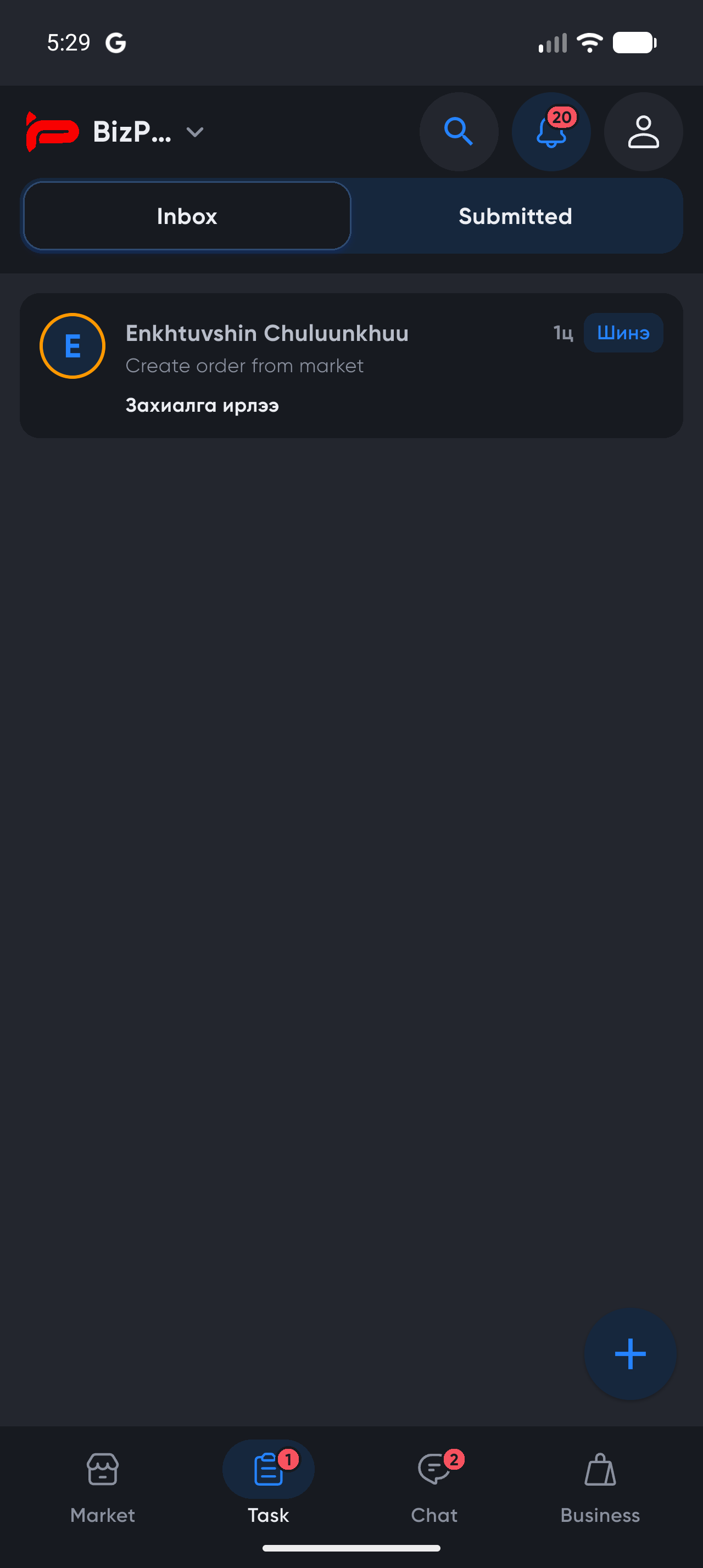
BizPro records the working history alongside the work. Every record keeps its versions, every process instance keeps the path it took and the people who acted at each step, and every screen shows only what the viewer's permissions allow. This is what makes a system usable as evidence rather than only as a place to type.
Changes to a record are kept with their author and timestamp, so the previous state can always be shown, not inferred.
Where a piece of work has reached is a fact the system holds, not something a coordinator maintains in a separate list.
Each task records who it was assigned to, who completed it, what they submitted and how long it waited.
A finished process can be replayed step by step, including the branch it took and the branch it did not.
BizPro reports that an independent penetration test has been carried out against the platform and that no issues were found. The specifics below are recorded so a buyer can verify the claim rather than take it on trust.
| Tester | B. Bayanmunkh, cyber-security specialist (independent) |
|---|---|
| Test period | 6 January – 28 February 2024 |
| Scope | The BizPro platform: vulnerability assessment and source-level penetration testing |
| Methodology | Vulnerability assessment; white-box penetration test with access to the source code |
| Provided by BizPro | A test environment with its credentials, and the relevant source code |
| Findings | No issues found |
| Report | Available on request |
Note. BizPro does not hold an ISO certification and does not claim one — ISO/IEC 19510 describes the BPMN notation the engine executes, not a certification of this product. Certification is a matter for an accredited body.
BizPro is an ASP.NET Core application on PostgreSQL, layered so that the parts a customer changes and the parts we ship are cleanly separated. Definitions, processes and permissions are data in the platform tier; the engine and services below them are the same for every tenant. That separation is what lets one deployment serve many organisations, each with its own shape.
Why the tiers matter for you. Adding a field, changing a process or installing a module touches only the platform tier — no build, no release, no downtime. Upgrades to the engine below arrive without disturbing what you configured above.
BizPro is multi-tenant by design: one deployment, many organisations, and a tenant boundary enforced in the data layer rather than remembered feature by feature. Below are the controls that boundary rests on.
Every tenant-owned record carries its tenant, and queries are filtered by it at the data layer. Crossing the boundary is an explicit, recorded act — not something a missed check can leak.
One organisation cannot read another's records, definitions, processes or files. Shared and global definitions are a separate, deliberate scope rather than an accident of visibility.
Traffic is TLS-encrypted end to end. Credentials for external systems are held in a secrets store, never in a process diagram; passwords are hashed, never reversible.
OpenID Connect through a dedicated auth server, with two-factor, phone sign-in, social identity and session control. Tokens are short-lived and revocable.
Every application service declares the permission it requires. What a person sees on a screen — including whether they see money at all — follows from their role, not from which page they opened.
Record versions, process replay and task-level attribution are retained, so who did what and when is answerable after the fact rather than reconstructed.
Processes execute the ISO/IEC 19510 (BPMN 2.0) standard. The platform is built for traceable, compliance-oriented operations — with the certification caveat below.
PostgreSQL with scheduled backups and point-in-time recovery. Self-hosted deployments keep this under the customer's own control.
Most business software assumes one company. Large organisations are not one company — they are a group of them, each with its own branches, its own rules and its own reporting line, all needing to work together without merging into a single undifferentiated database.
Each subsidiary is its own tenant with its own data, users, permissions and configuration — while the group runs a single platform to operate and upgrade.
Below the tenant, an organisation unit tree carries branches, departments and sites. Data, tasks and reports can be scoped to any level of it.
Definitions and modules can be global to the group, shared between some members, or private to one — so a common process is maintained once without forcing uniformity.
Two members of the same group — or two unrelated businesses — can run one BPMN collaboration, each inside its own boundary. Group companies stop emailing each other spreadsheets.
Because every record carries its tenant and organisation unit, the same report answers at branch, company and group level without a separate warehouse.
High-volume record types move to dedicated relational tables with their own indexes, without the screens or processes that use them changing.
The apps are Flutter — Android and iOS from one codebase, with a shared component package so every BizPro app looks and behaves the same.
The Form.io renderer is already built: a form defined on the platform is drawn with native widgets in the app. It is not a web page in a wrapper, and it does not have to be built twice.
Where a job needs the device rather than a form — RFID handhelds, sustained scanning, background location — that part can be built native and still talk to the same services.
Actions taken with no signal are stored on the device and sent when the connection returns, with safeguards against sending something twice.
Scanning a code, taking a photo, capturing a location, signing with a finger — the parts of a record that are painful at a desk.
Approvals and assigned tasks arrive on the phone, so a process is not waiting three days for someone to open a laptop.
Tabs, theme, branding and which modules appear are configuration. Beyond that the app is ordinary Flutter — a new screen, a new flow or a whole industry app is normal development, not a fight with a framework.
Finding a business, chatting to it, ordering from it, and then running the work that order creates — the marketplace, the conversation, the process and the task inbox are the same app and the same records, not four products stitched together.
An outside system can be called from inside a BizPro process. Wire it up once and every later process reuses it.
A step in the process calls an external API — an ERP, a financial system, a tax service, a bank, a partner's system — with its credentials held centrally and never in the diagram.
Another system tells BizPro that something happened, and a waiting process continues. Callbacks are verified before they are believed.
Common integrations are packaged so they can be configured rather than built, and reused by any process that needs them.
GPS units, scanners and handheld readers report into the same records that people work on, so a status can change on its own.
Send an SMS or a notification from a process. Unitel and SkyTel are direct; other domestic networks go through an aggregator gateway; international goes through Twilio.
 G-Mobile
Twilio
G-Mobile
Twilio
Ties calls, operator work and customer requests to the process. Running on CU's Operation Portal.
Raise a payment, check its state, carry on with the process.
Pull statements and reconcile transactions; make transfers where the bank supports it.
Connects state lookups, citizen sign-in and tax receipts to a business process. A citizen signs in with DAN, e-Mongolia's identity; reference data comes from KHUR; tax receipts are issued through e-Barimt.
Devices report straight into the process. A tag that was read, a label that was printed, a truck's position: each moves the next step by itself, with nobody typing it in again.
We learn from real projects and keep improving the platform from what they teach us.
Field inspection, recording, oversight and reporting in one flow.
Single Tenant
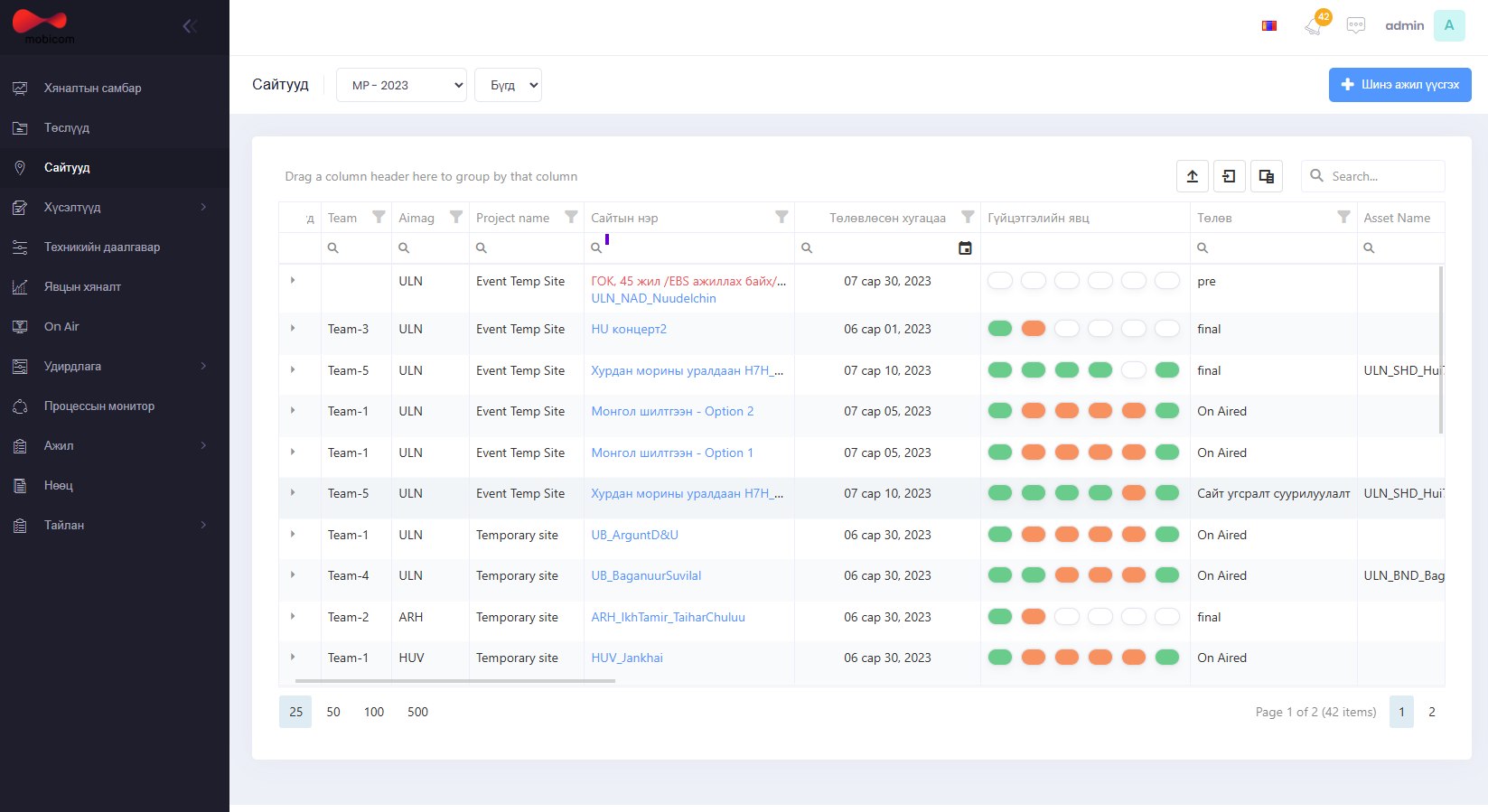
Every step from planning a network site to putting it on air, run from one system.
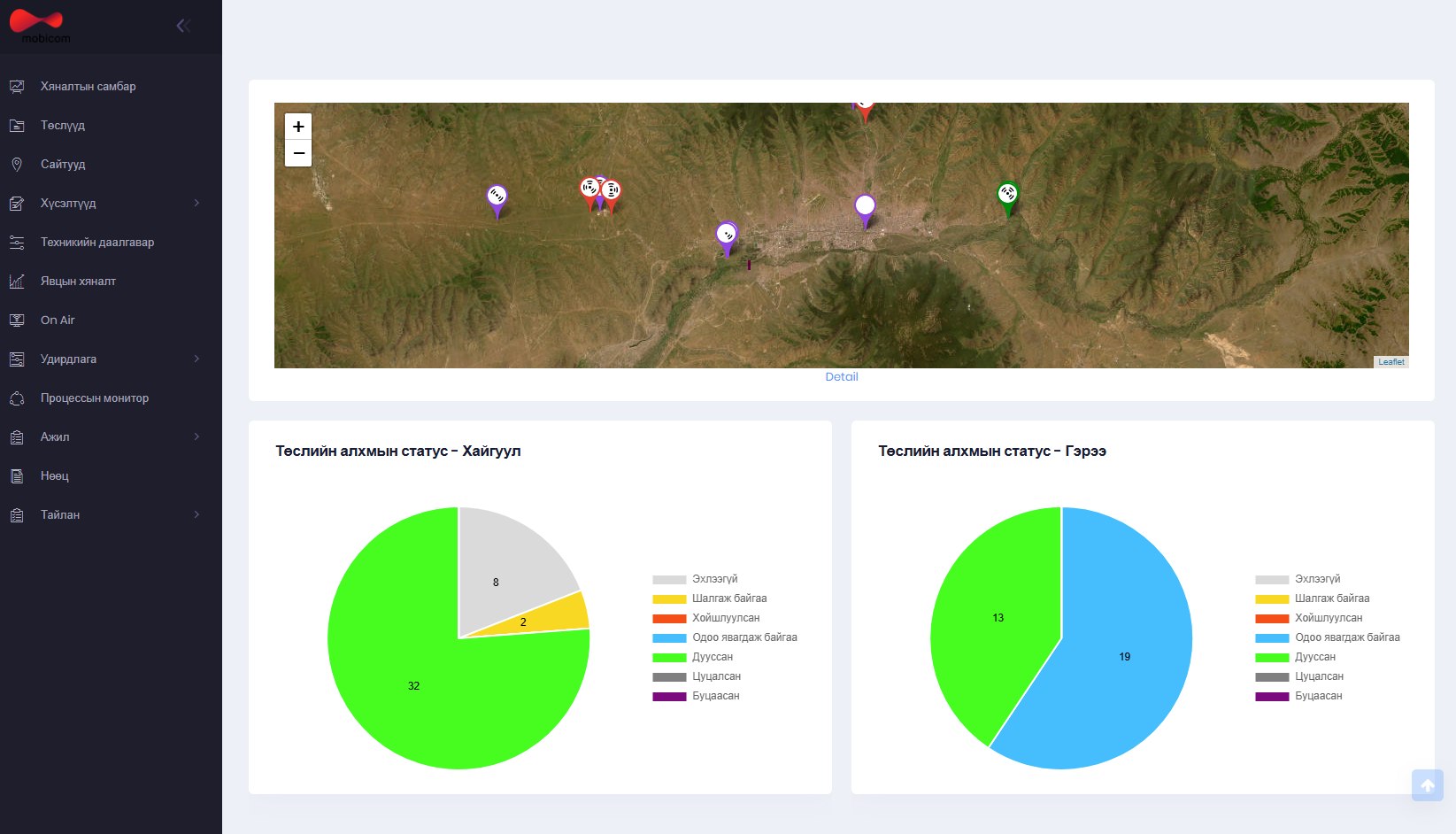
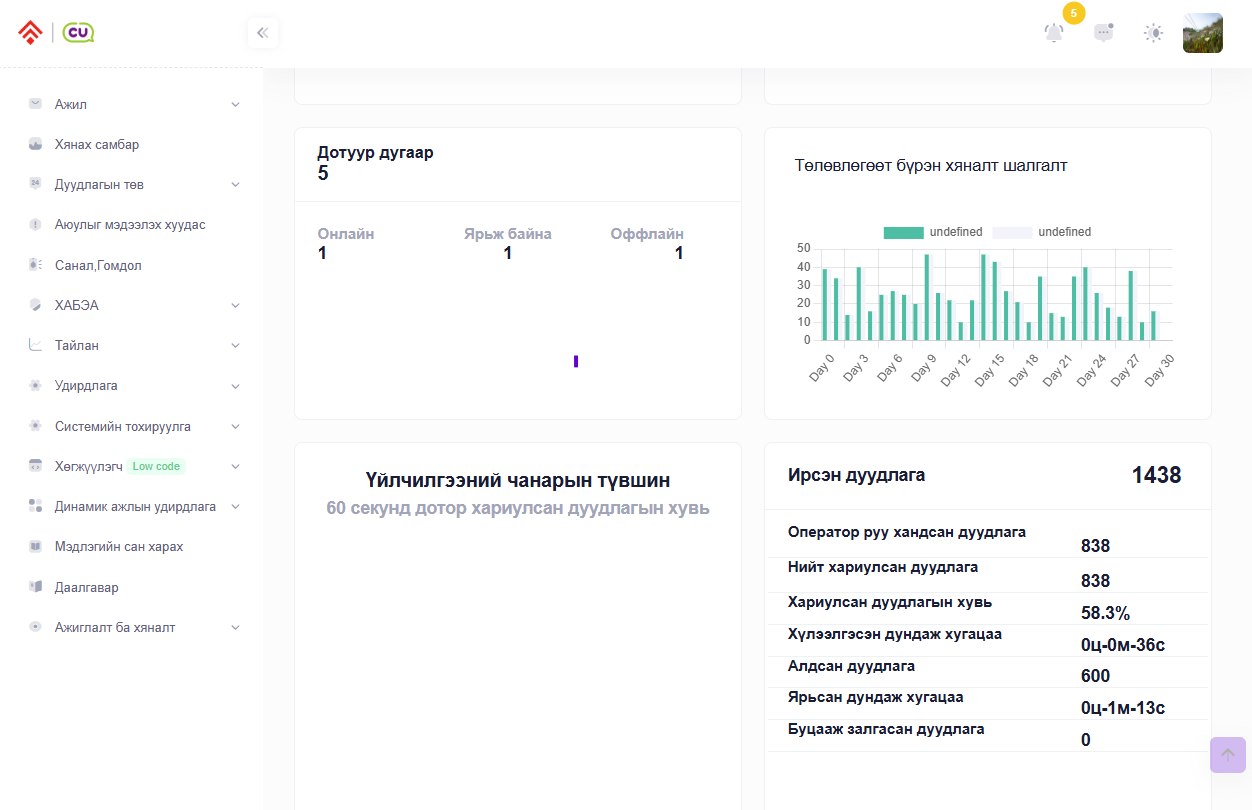
Suggestions, complaints and hazard reports from the branches become work, get assigned, and are followed to completion. Connected to the CallPro call centre.
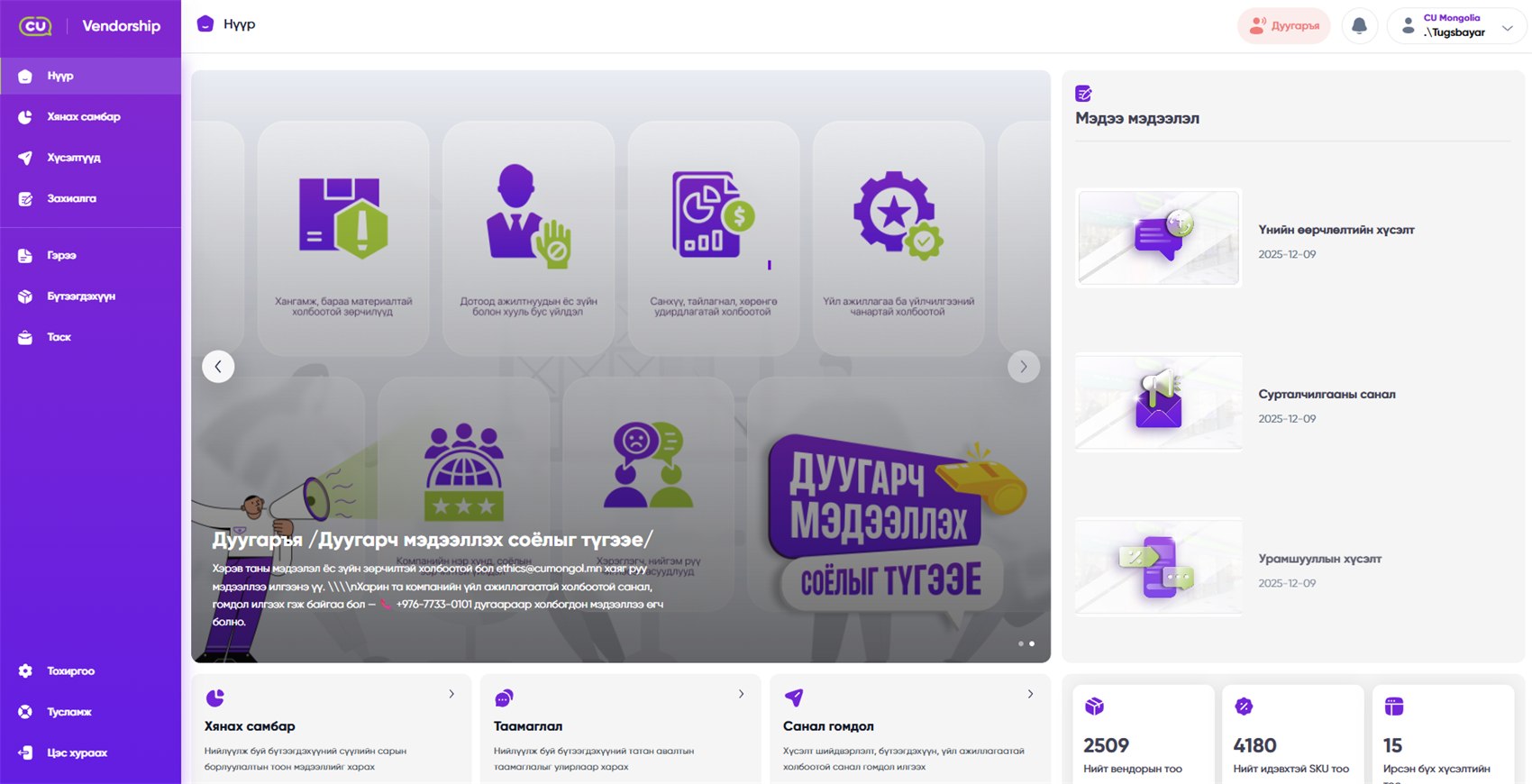
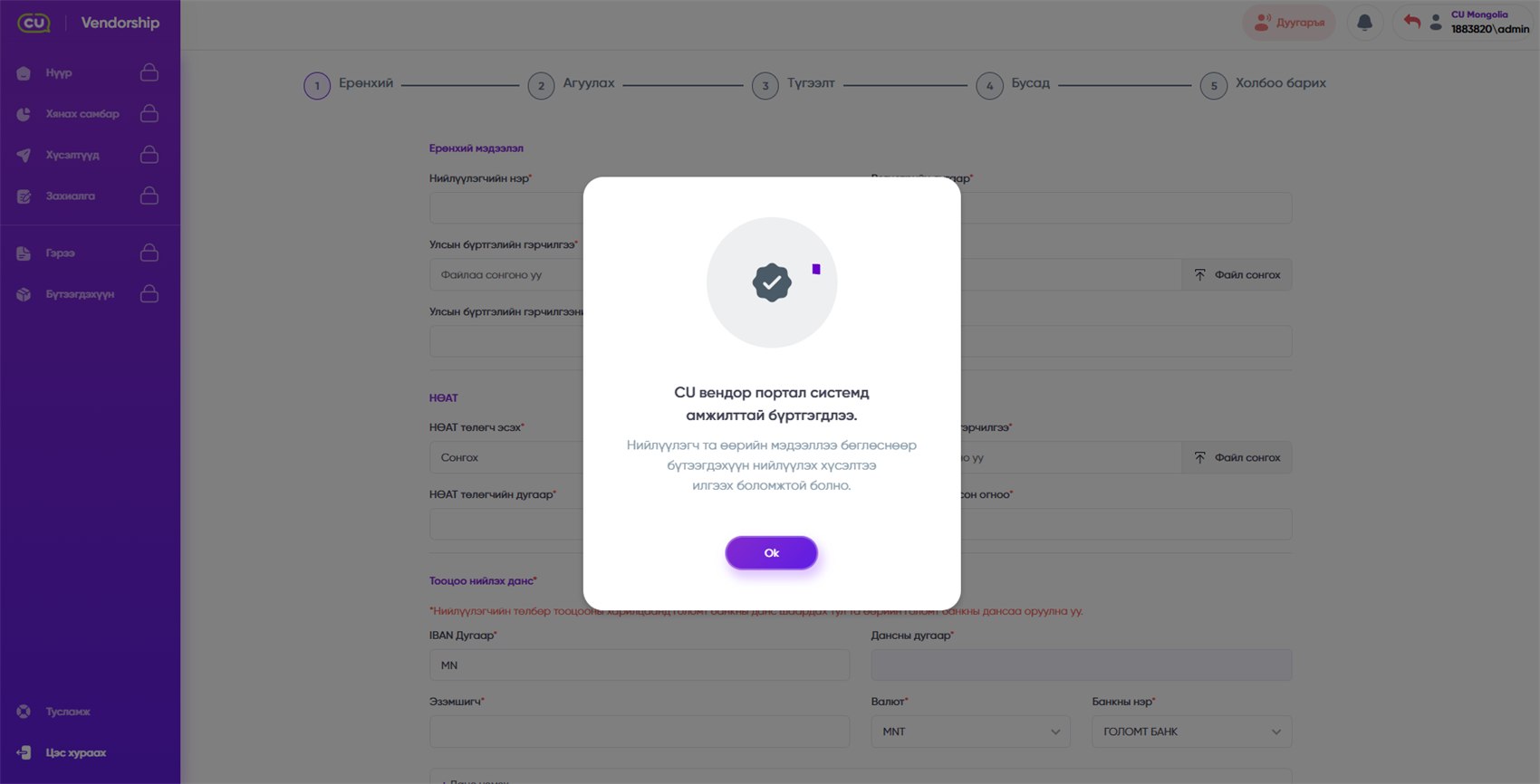
A supplier registers itself, offers products, signs a contract, then runs supply and reconciliation through one portal.
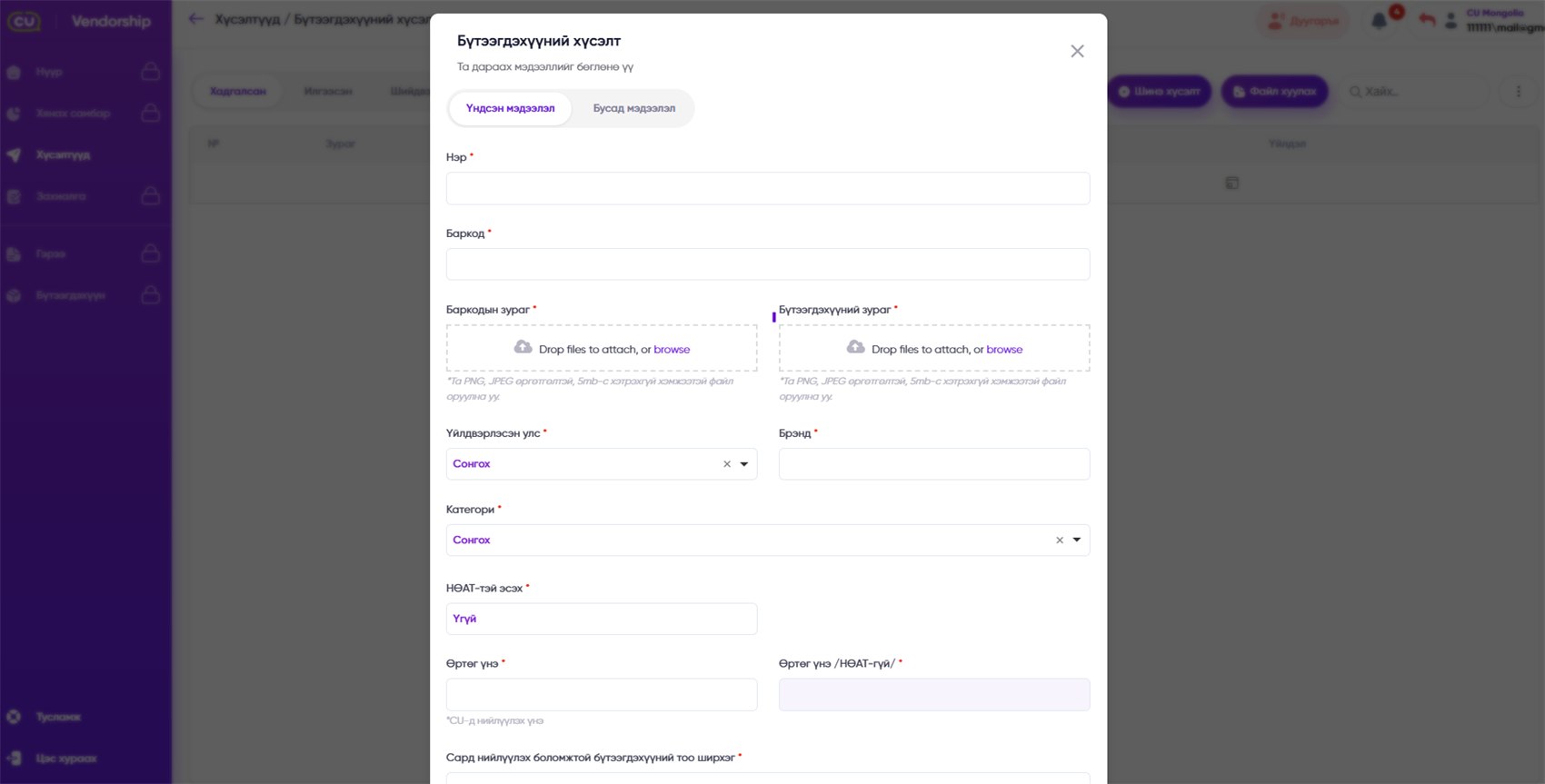
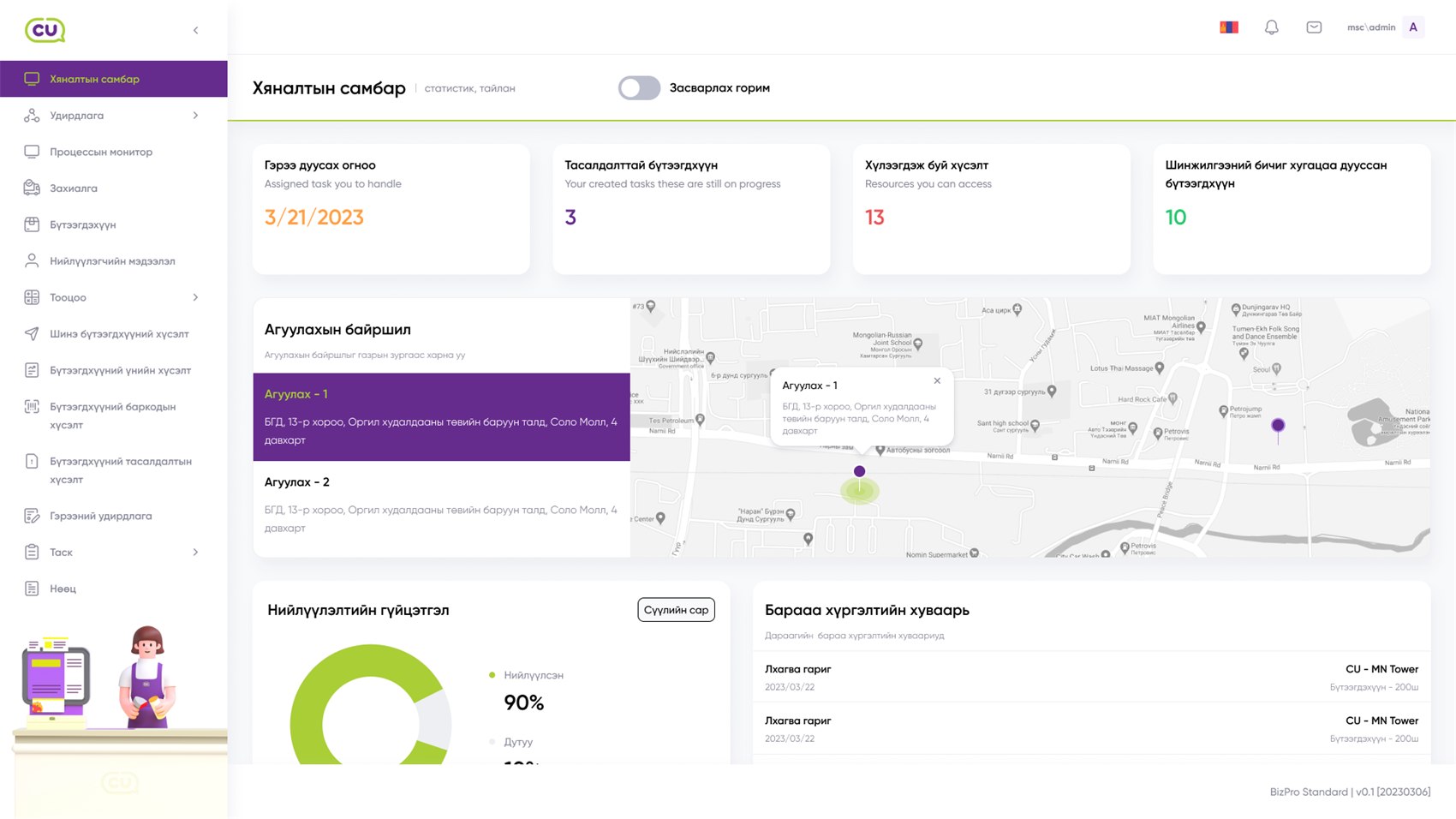
Every physical piece carries its own tag, so stock, counting, branch transfers and sales all rest on real movement rather than on typing.
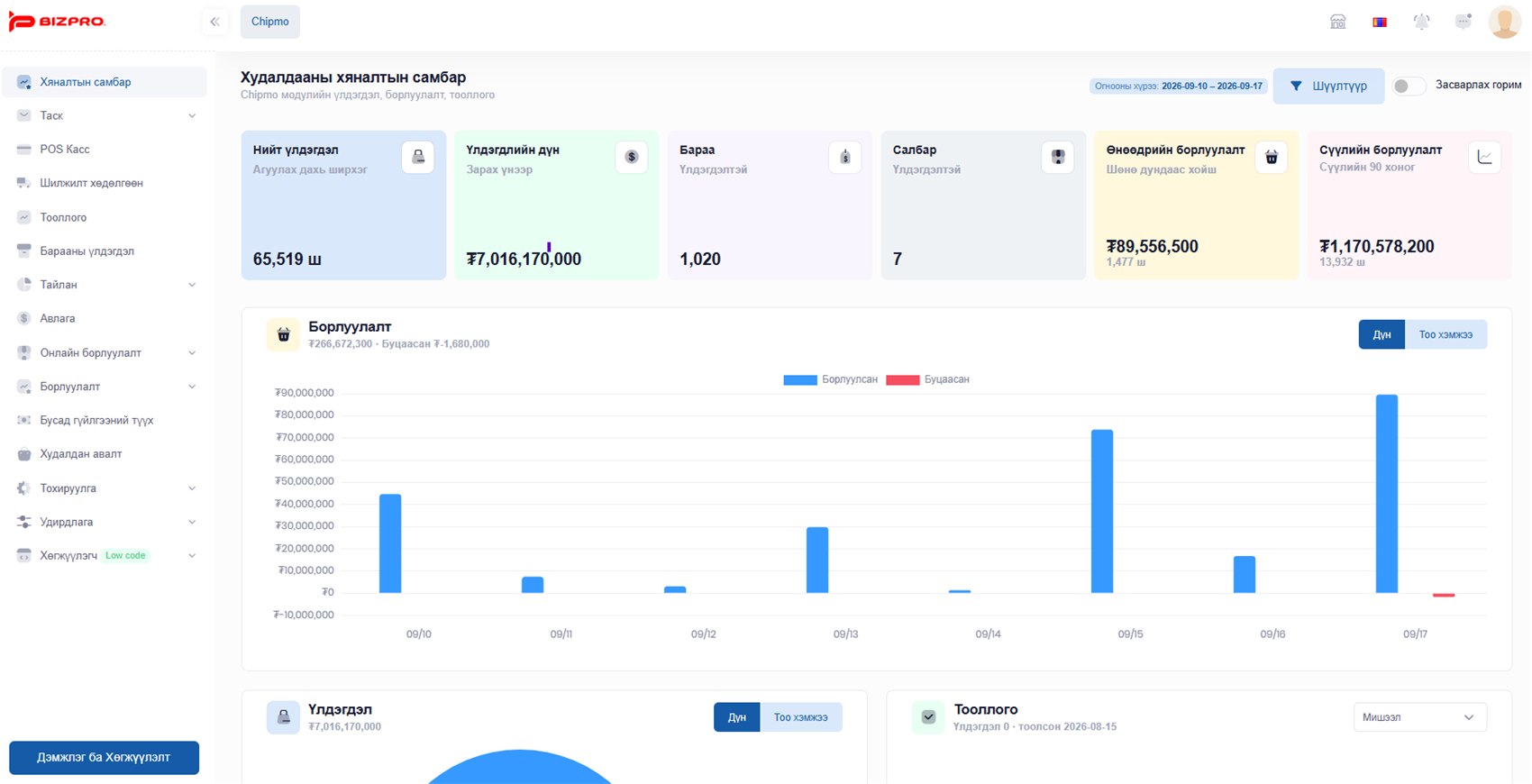
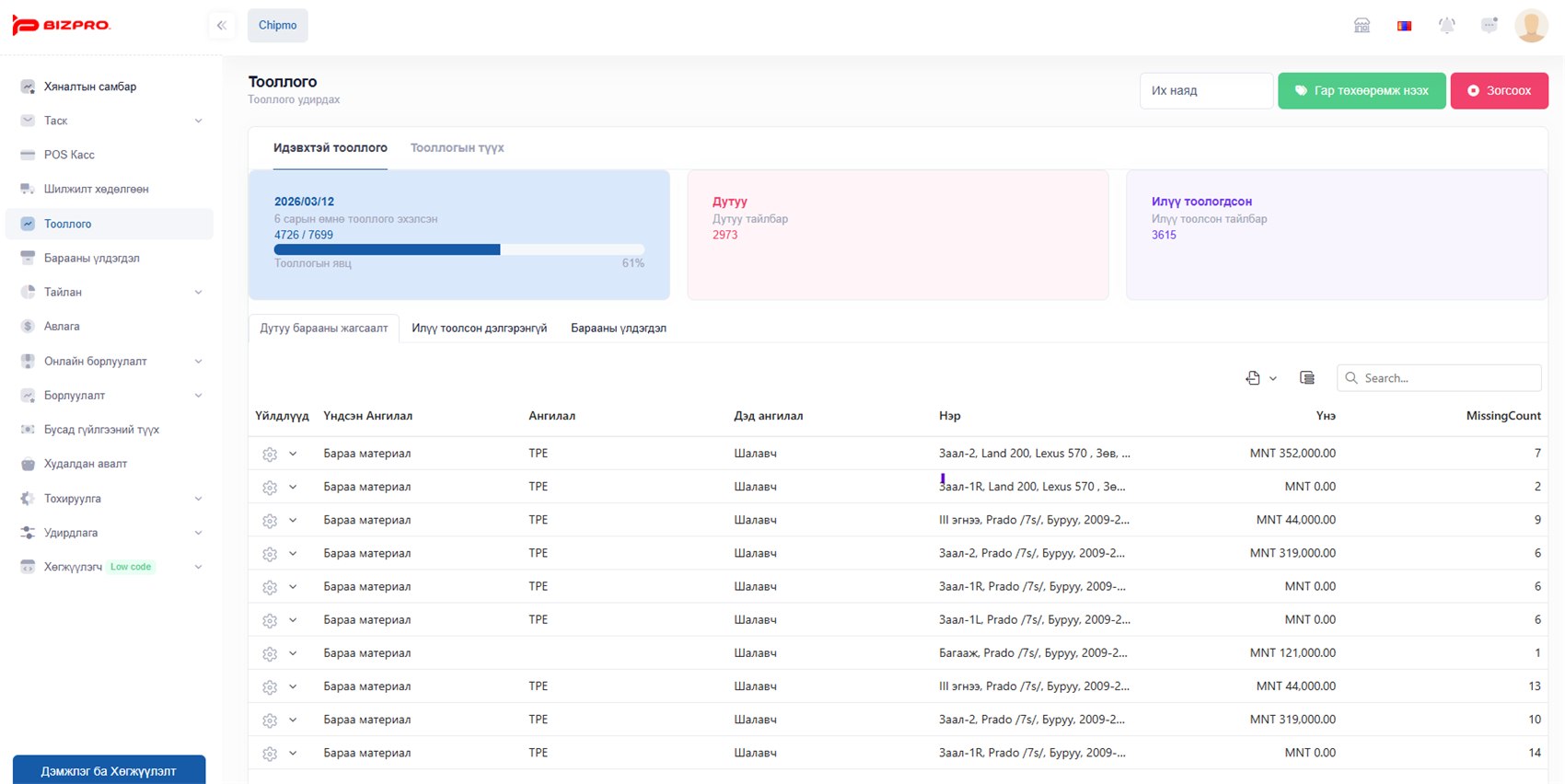
The same tag mechanism applied to assets: every asset carries its own tag, and where it is, what state it is in and who holds it are updated by each read.
From an online order through tag movement in the warehouse to delivery, in one flow. Runs on the Chipmo module's online sales channel.
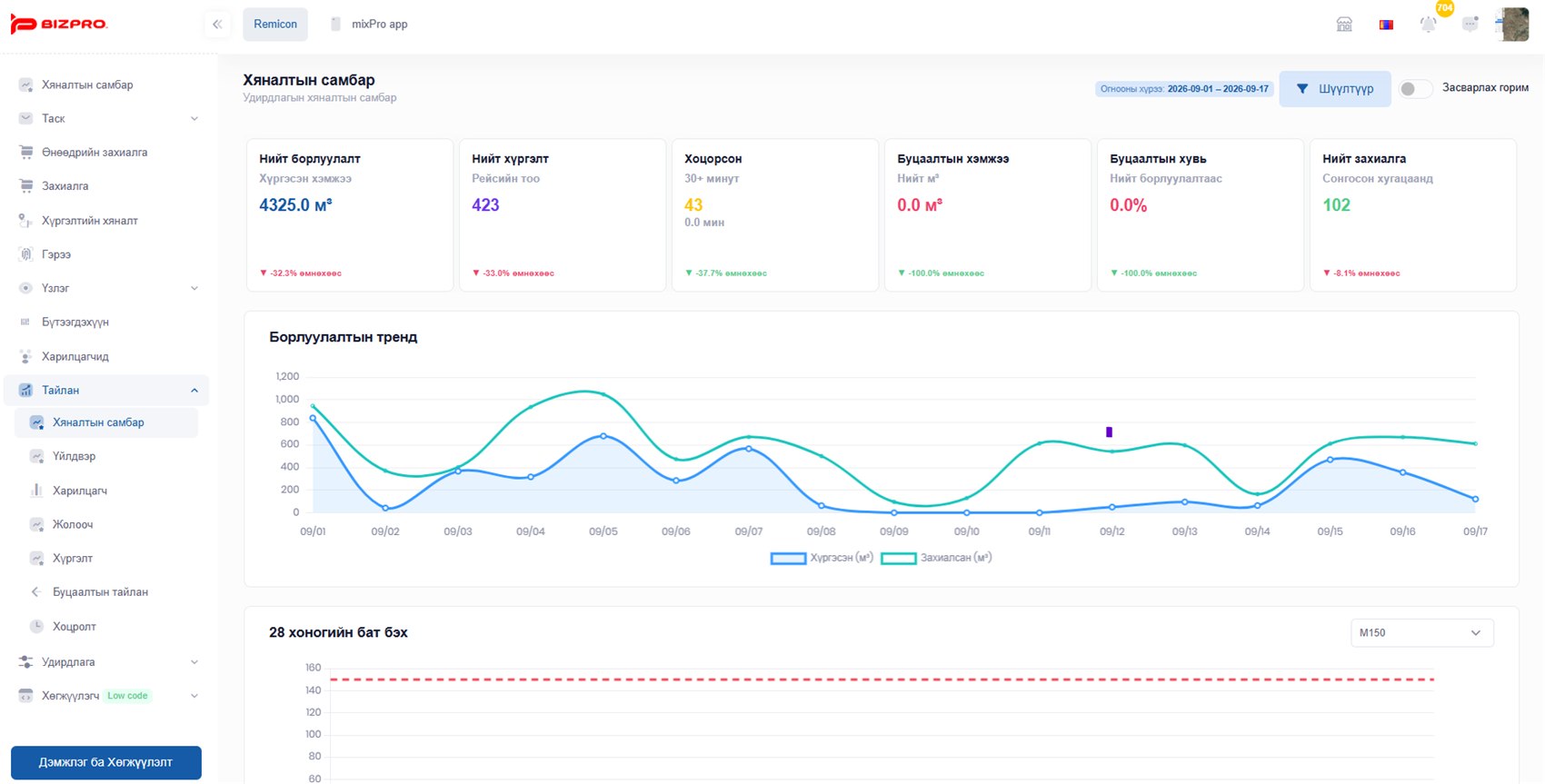
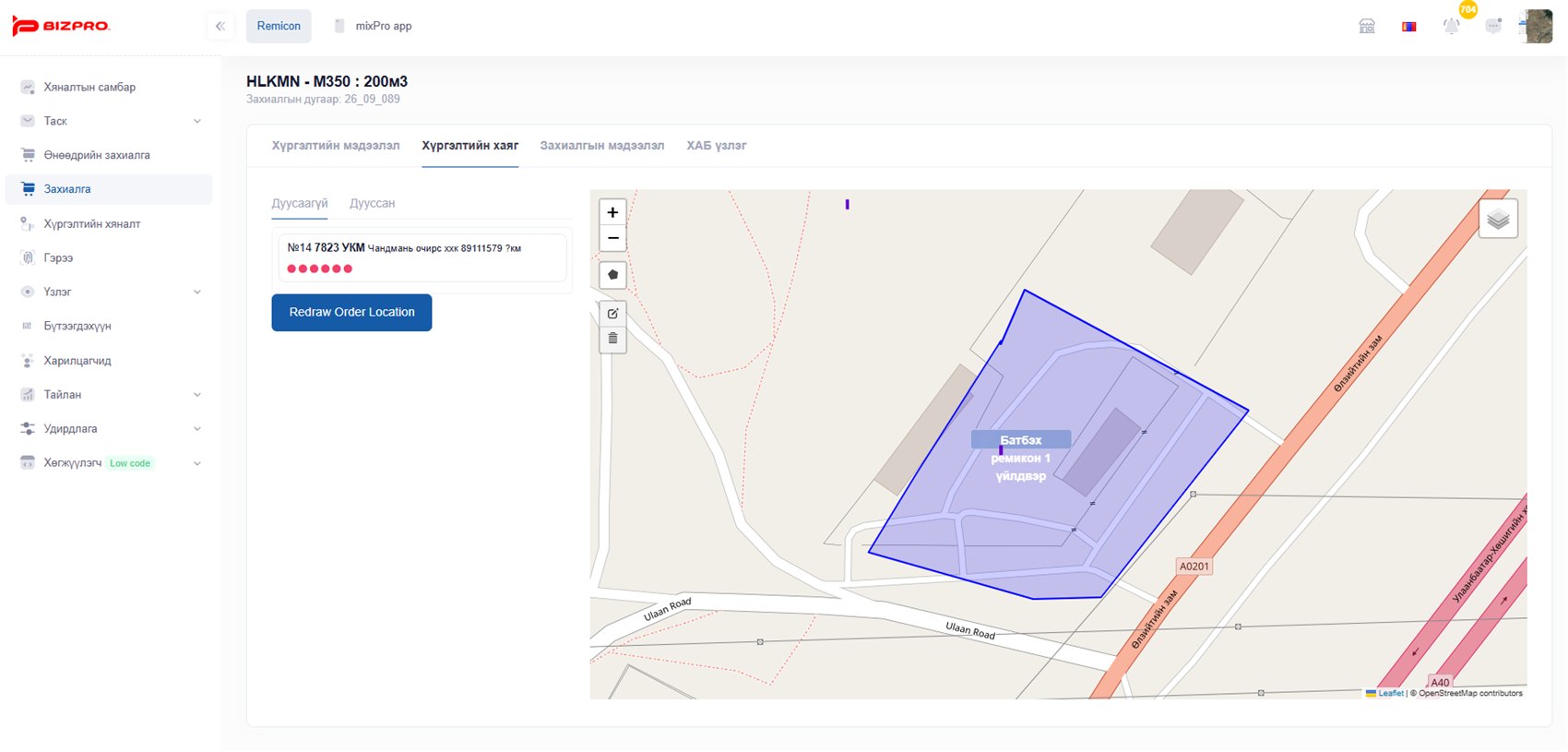
One process from the order through the plant, the truck and the delivery. With Flespi GPS data, the truck's position changes the delivery state by itself.
Less for the driver to tap. The truck's location moves the process.
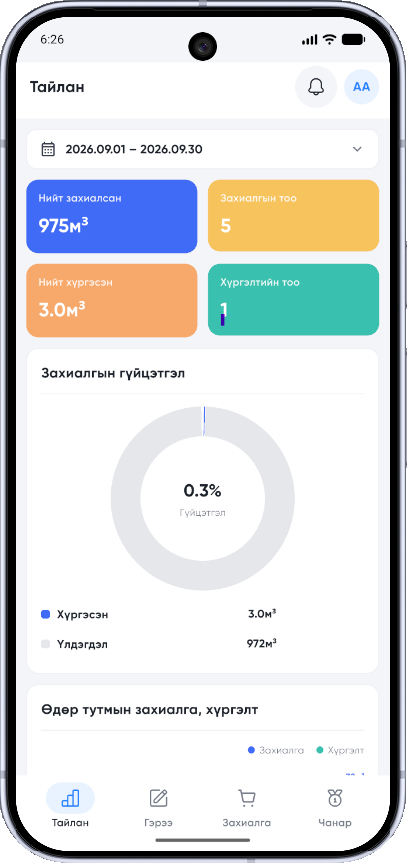
Members' meetings, activity, surveys, training and groups connected inside one app.
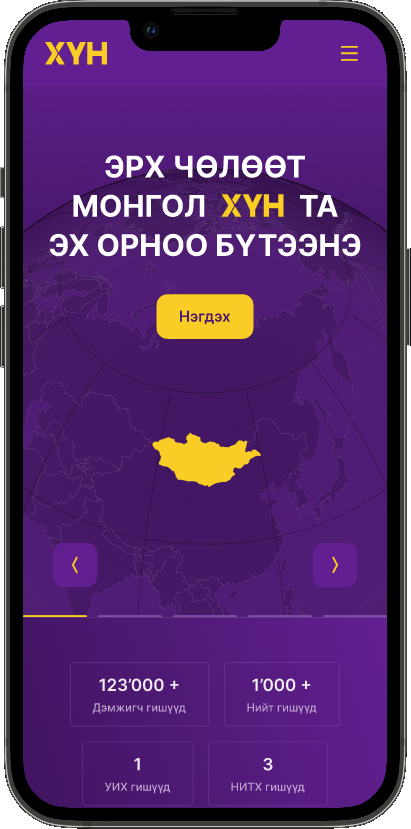
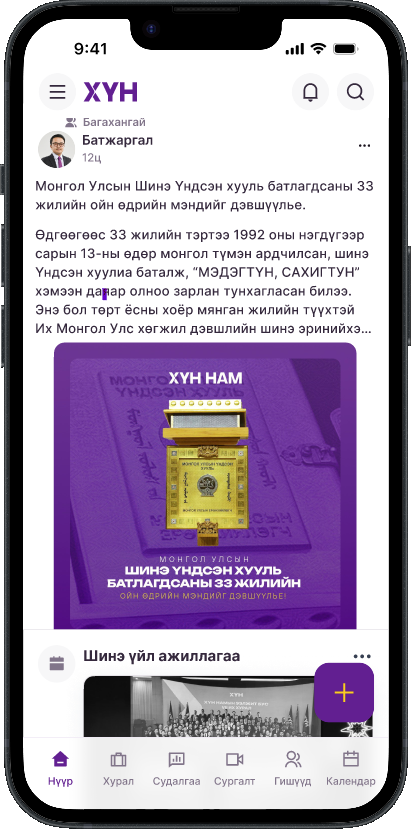
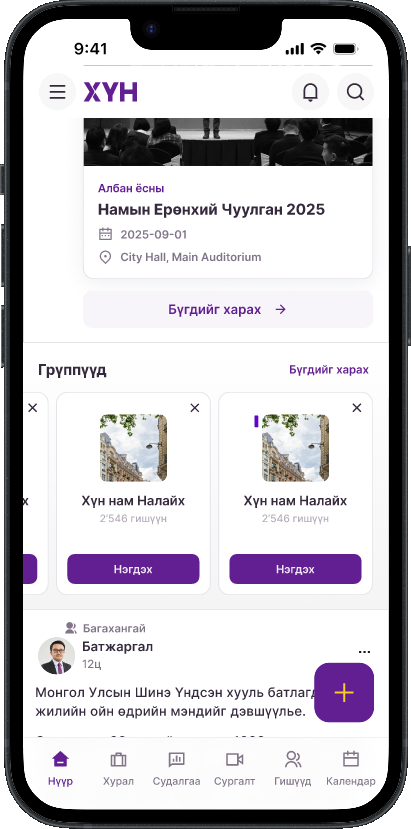
Membership, groups, activity and announcements for an organisation with many members, managed in one system. On the same foundation as the KHUN Party app.
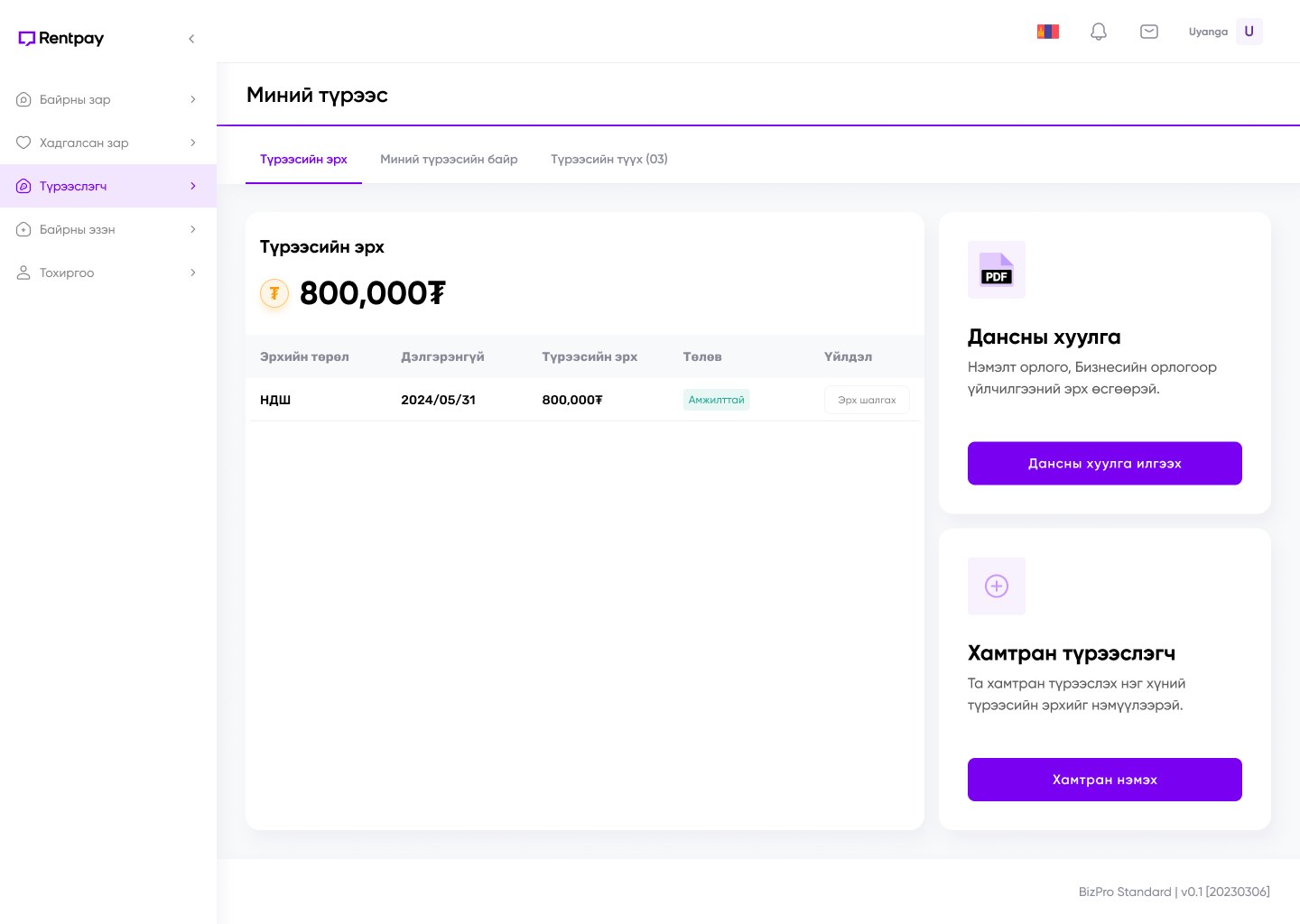
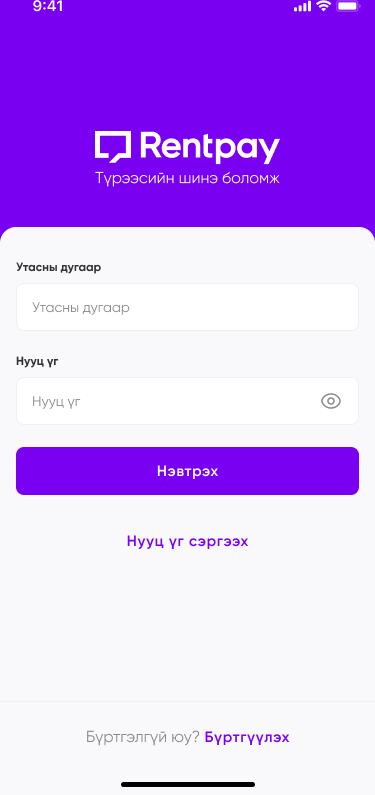
Listings, tenants and landlords held on one platform. A tenant's ability to pay is evidenced from social-insurance contributions and a bank statement, and a co-tenant can be added.

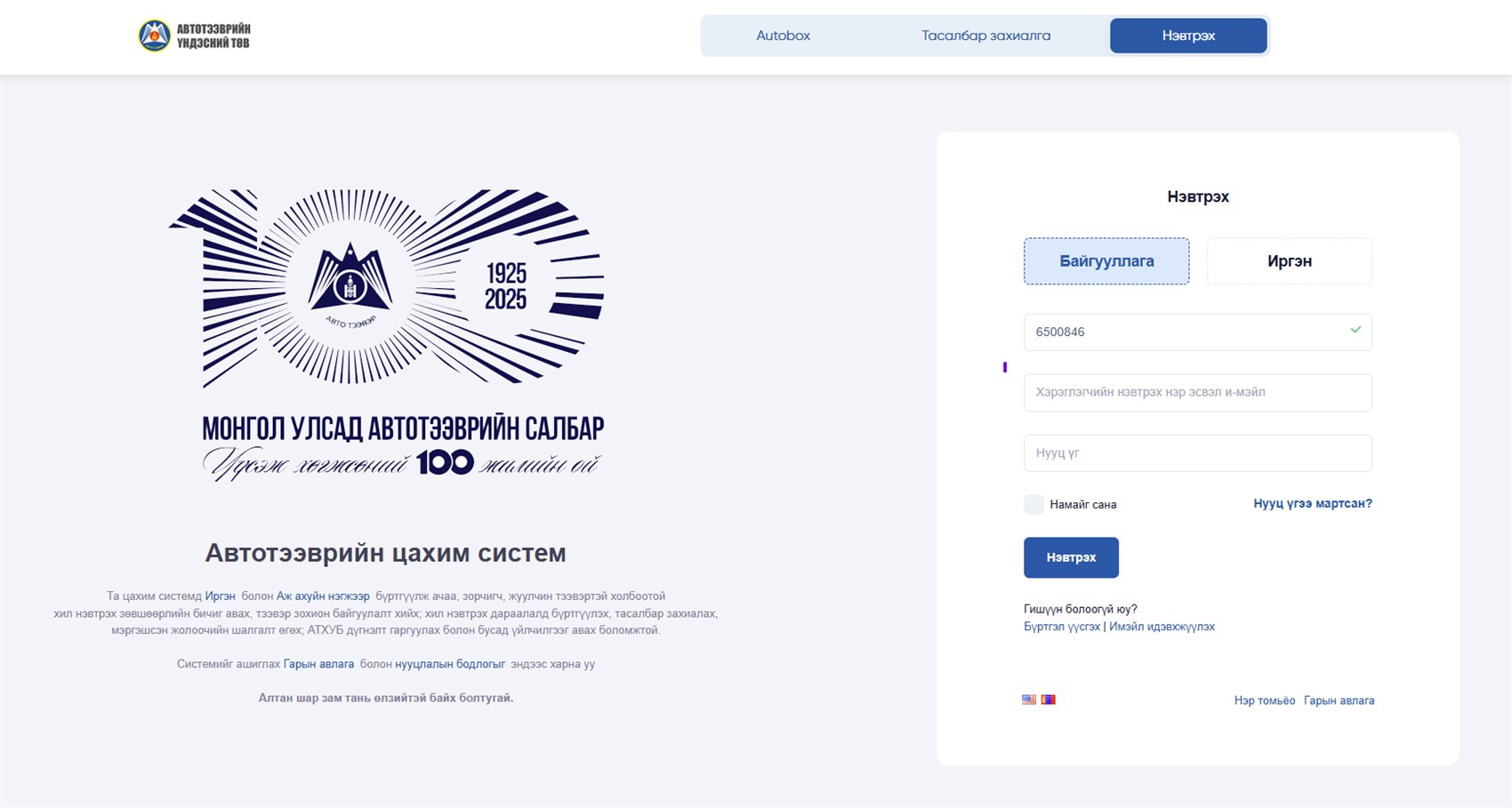
The National Road Transport Centre's public portal. A citizen or a company registers once, then obtains cross-border permits for cargo, passenger and tourist transport, organises the transport itself, joins the border-crossing queue, books tickets and sits the professional driver's exam — all through one door.
An AI assistant that turns a business conversation into an offer, a quotation, an approval, a document and the next piece of work.
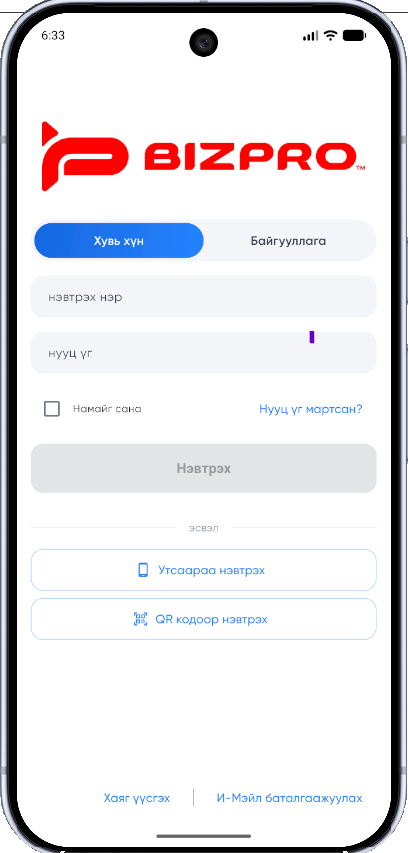
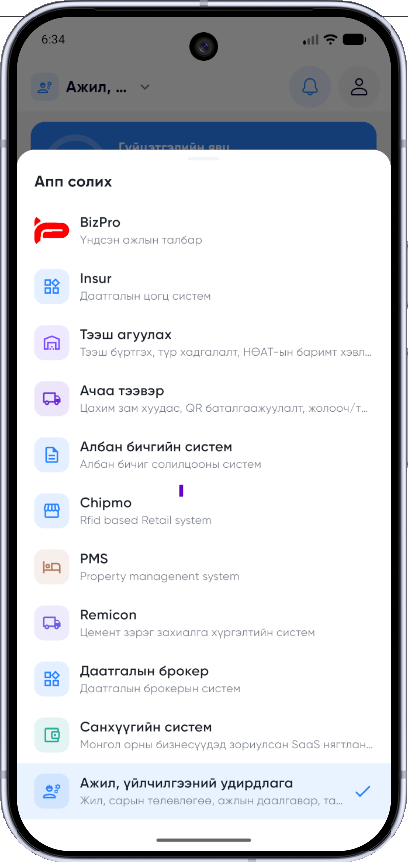
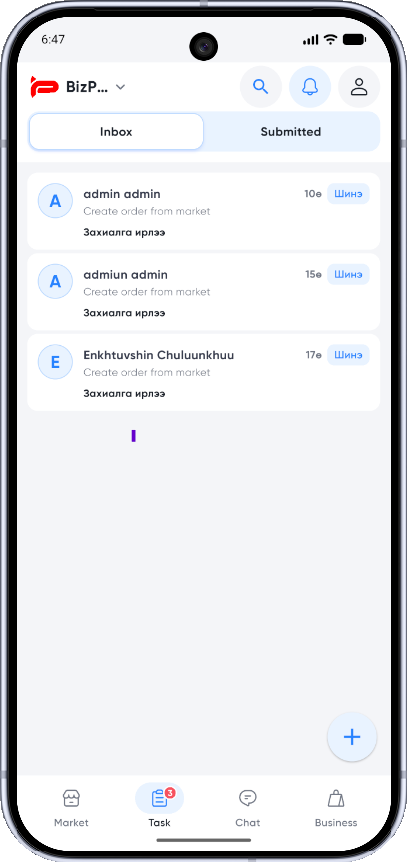
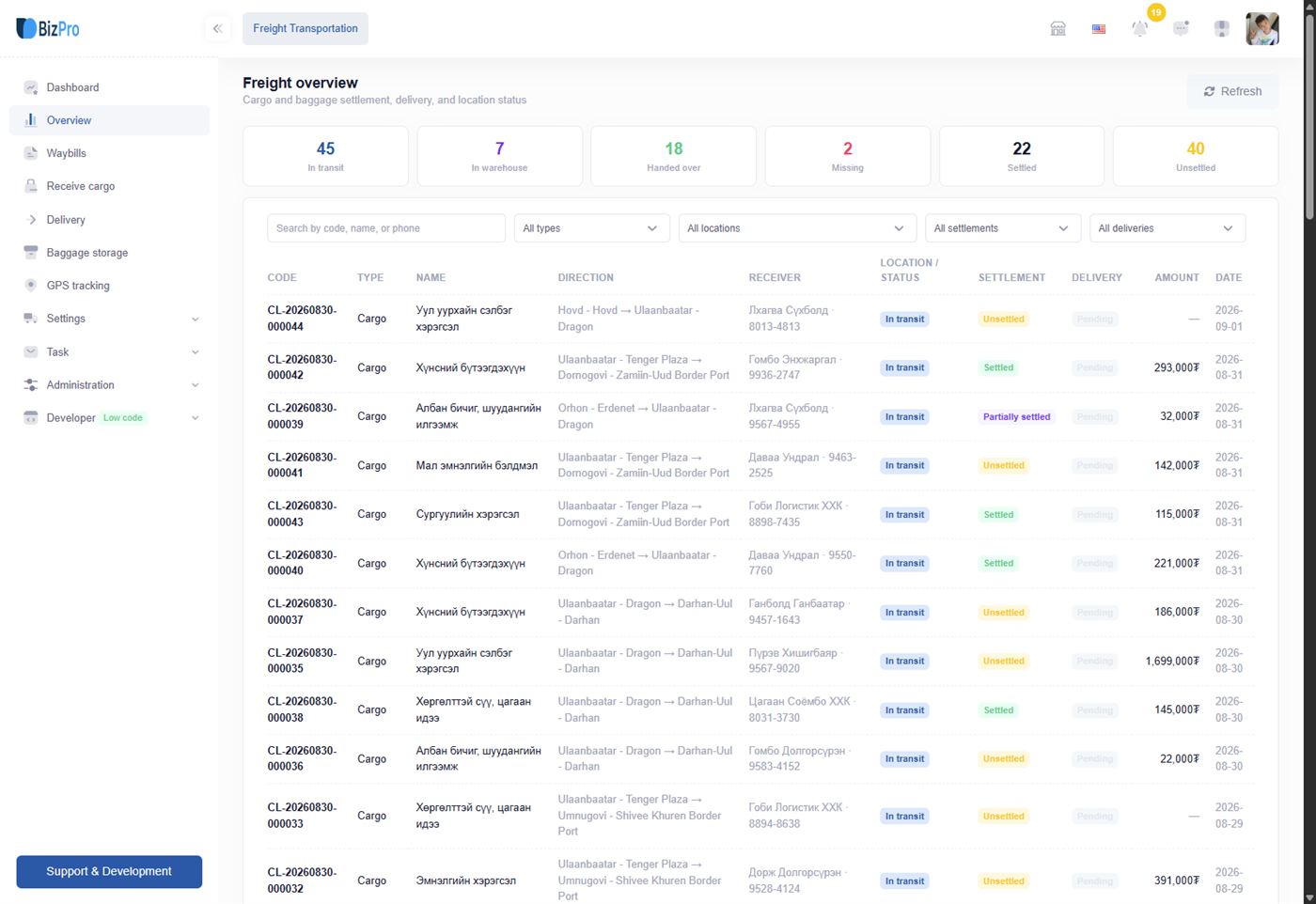
The same app, in the order a business actually meets it. Nine screens, each one the next thing the person did.
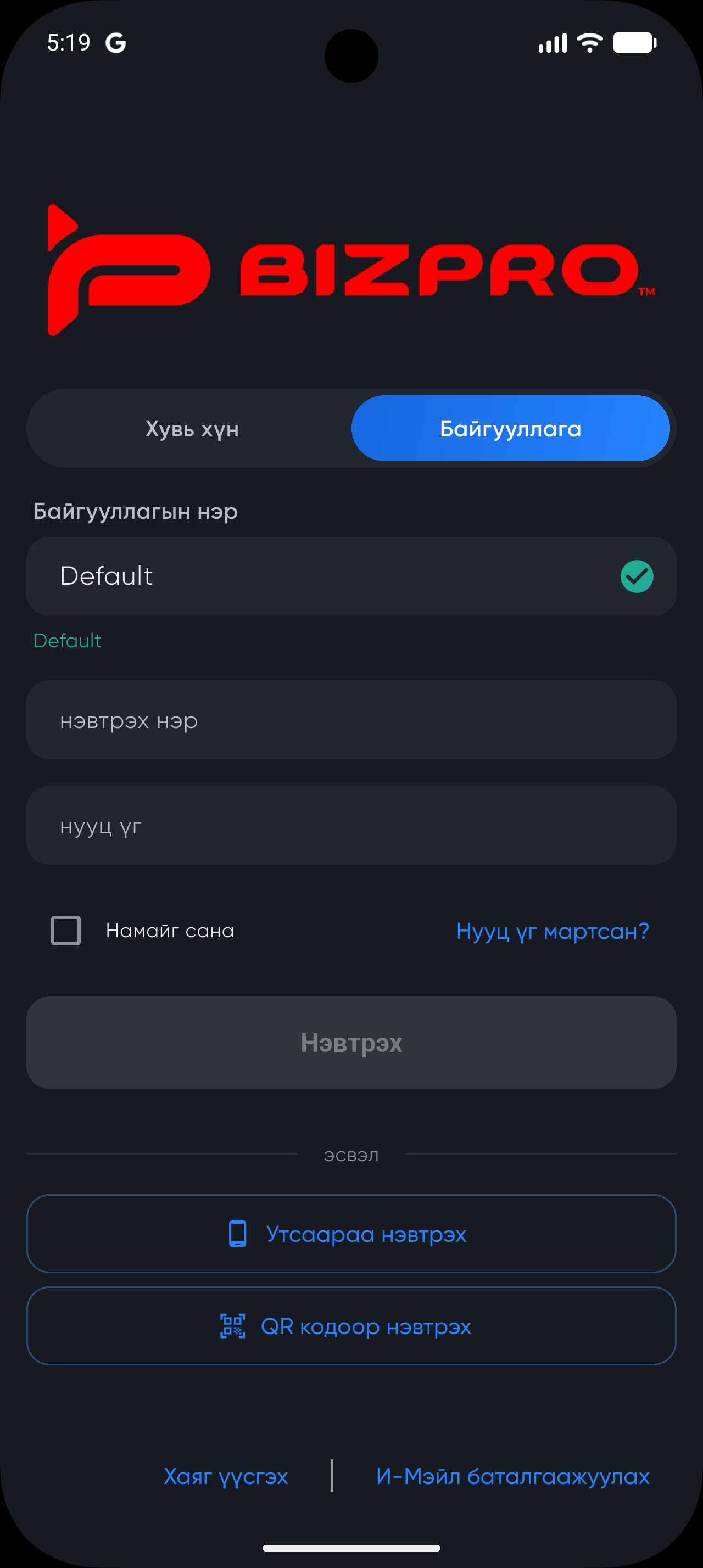
Sign in as an individual or as an organisation. Phone and QR sign-in are there too, so a field worker does not have to type a password on a small screen.
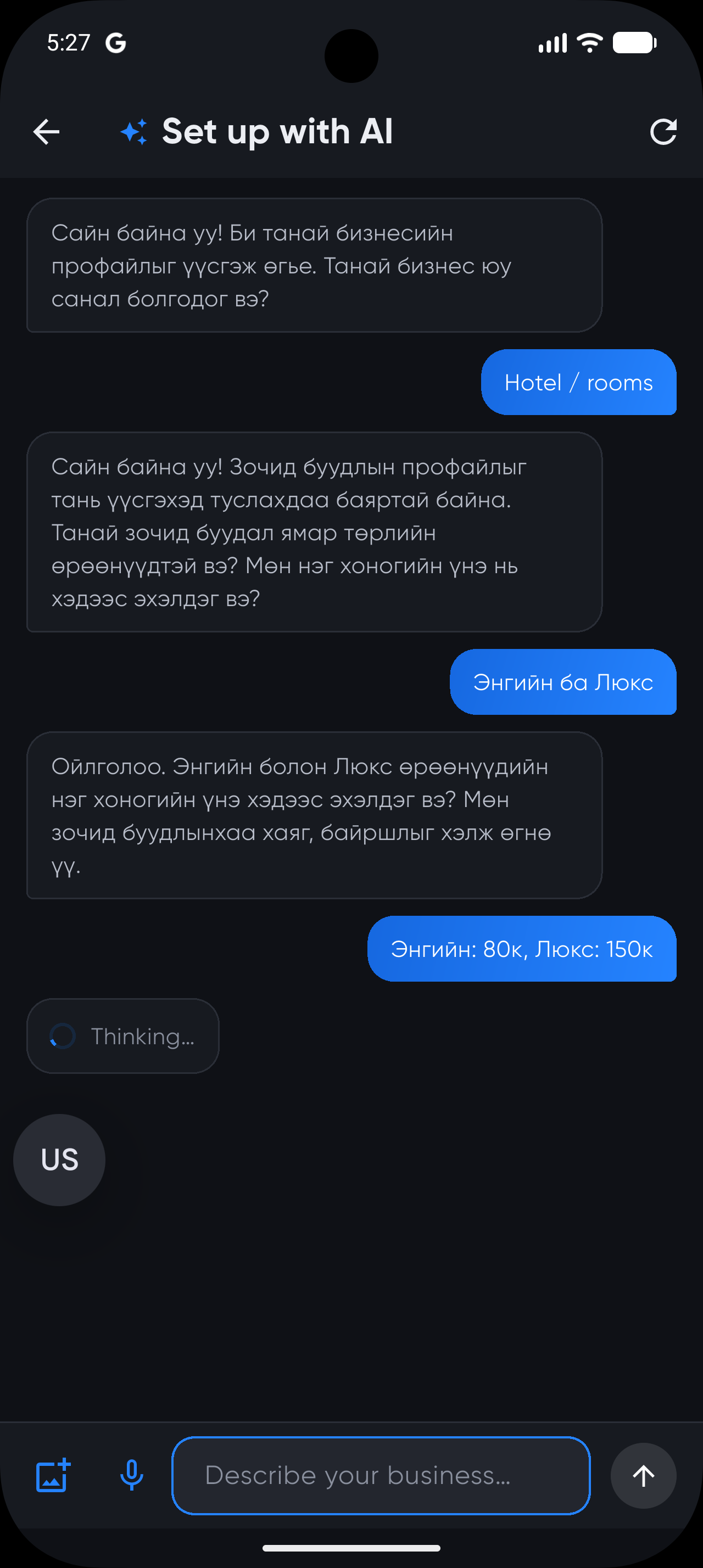
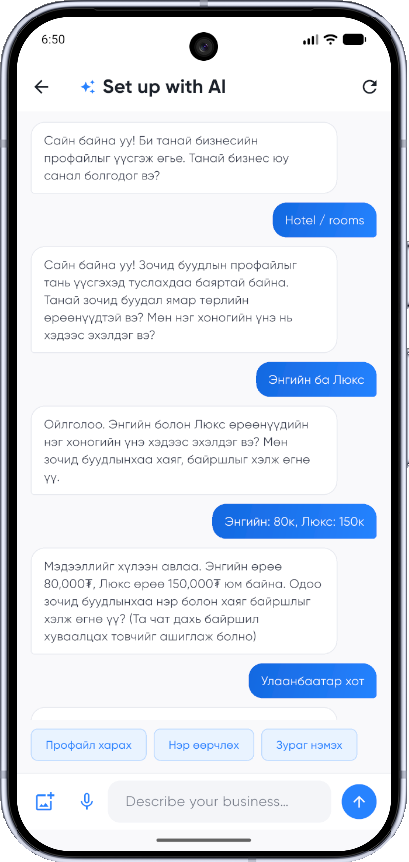
Instead of a settings form, a conversation. Say what you offer — “hotel / rooms”, room types, prices — in your own language. The assistant asks only what it still needs.
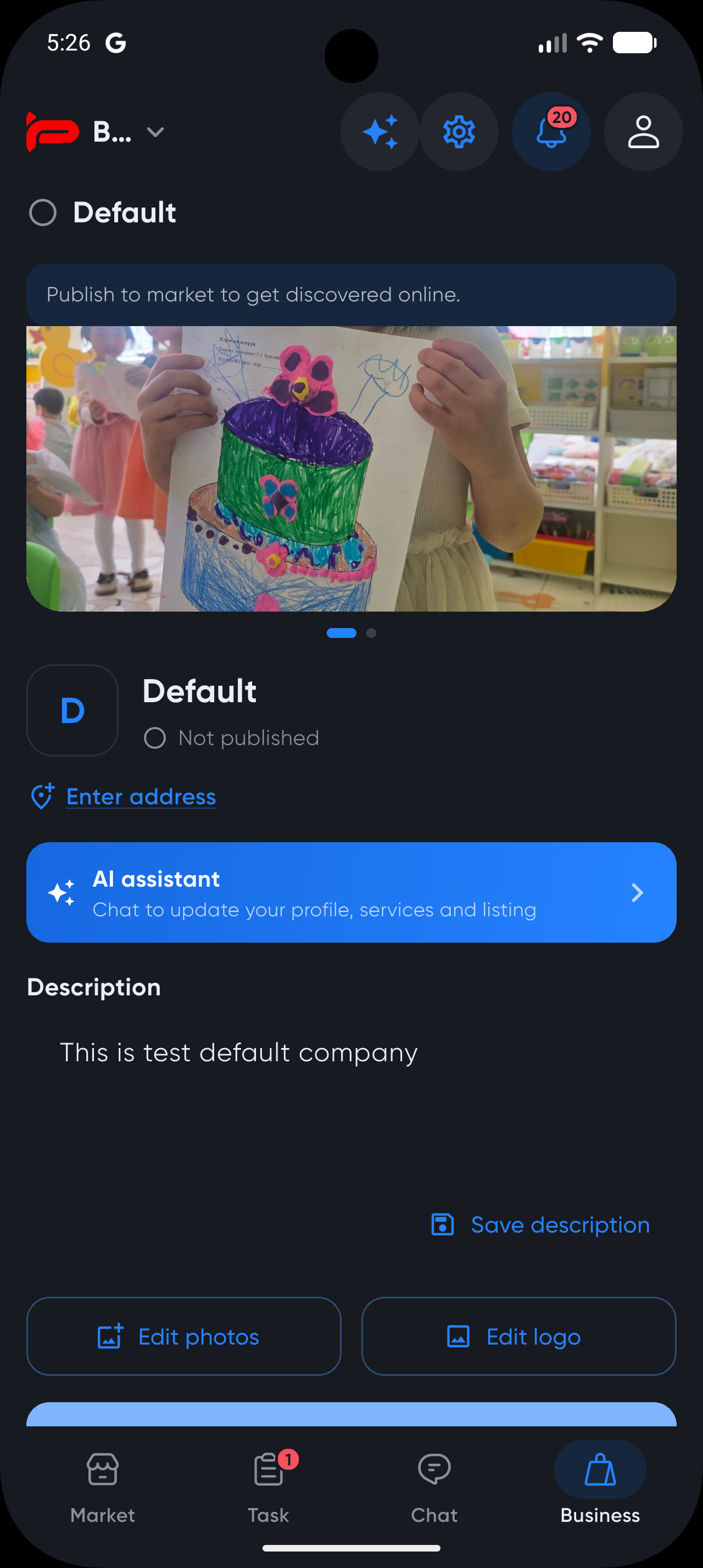
The answer comes back as a profile you can check before anything is saved: description, room types with prices, marketplace tags, even a shortlist of photos worth taking.
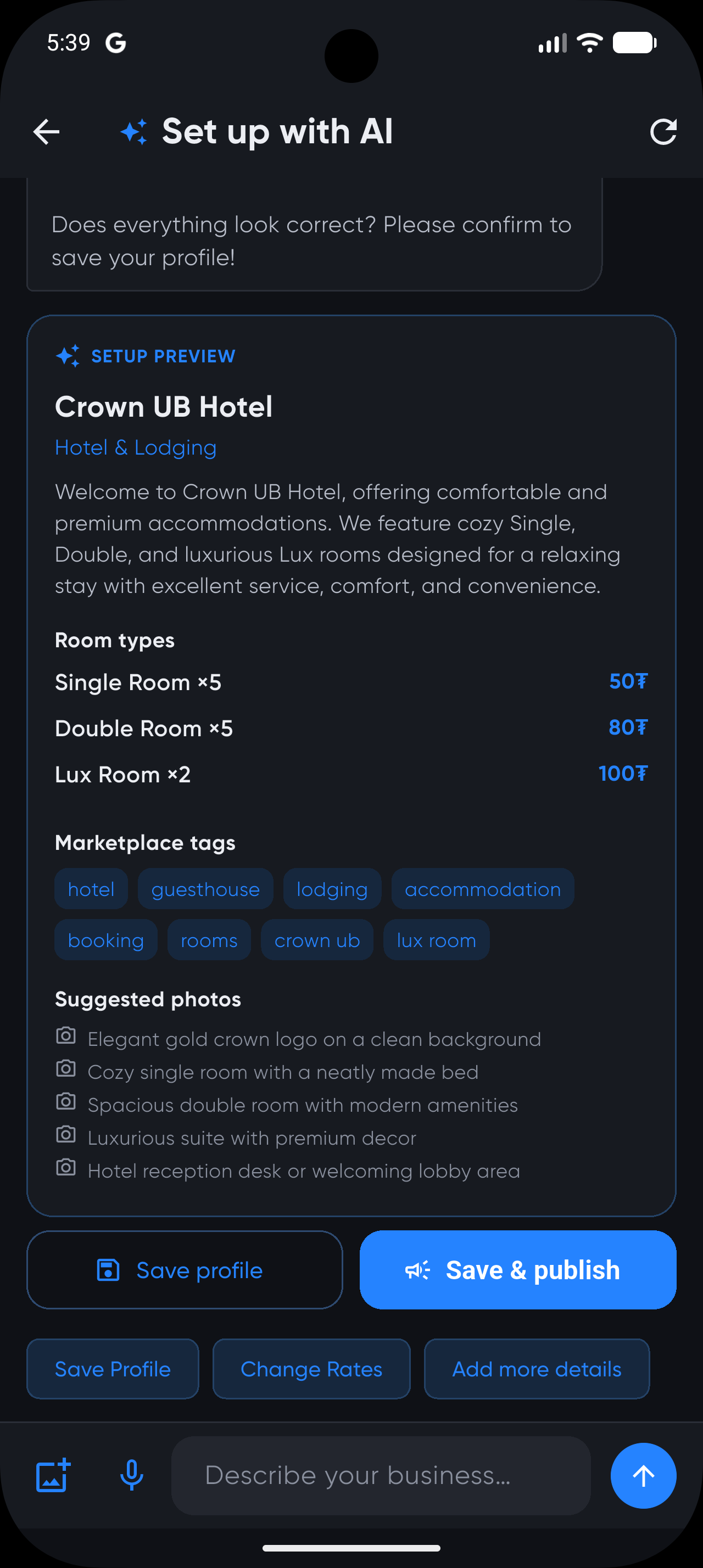
Save and publish. What it applies is real platform configuration — the company profile, the Rooms & Spaces PMS with room types and a rate plan, an availability calendar — not a listing that only looks like a system.
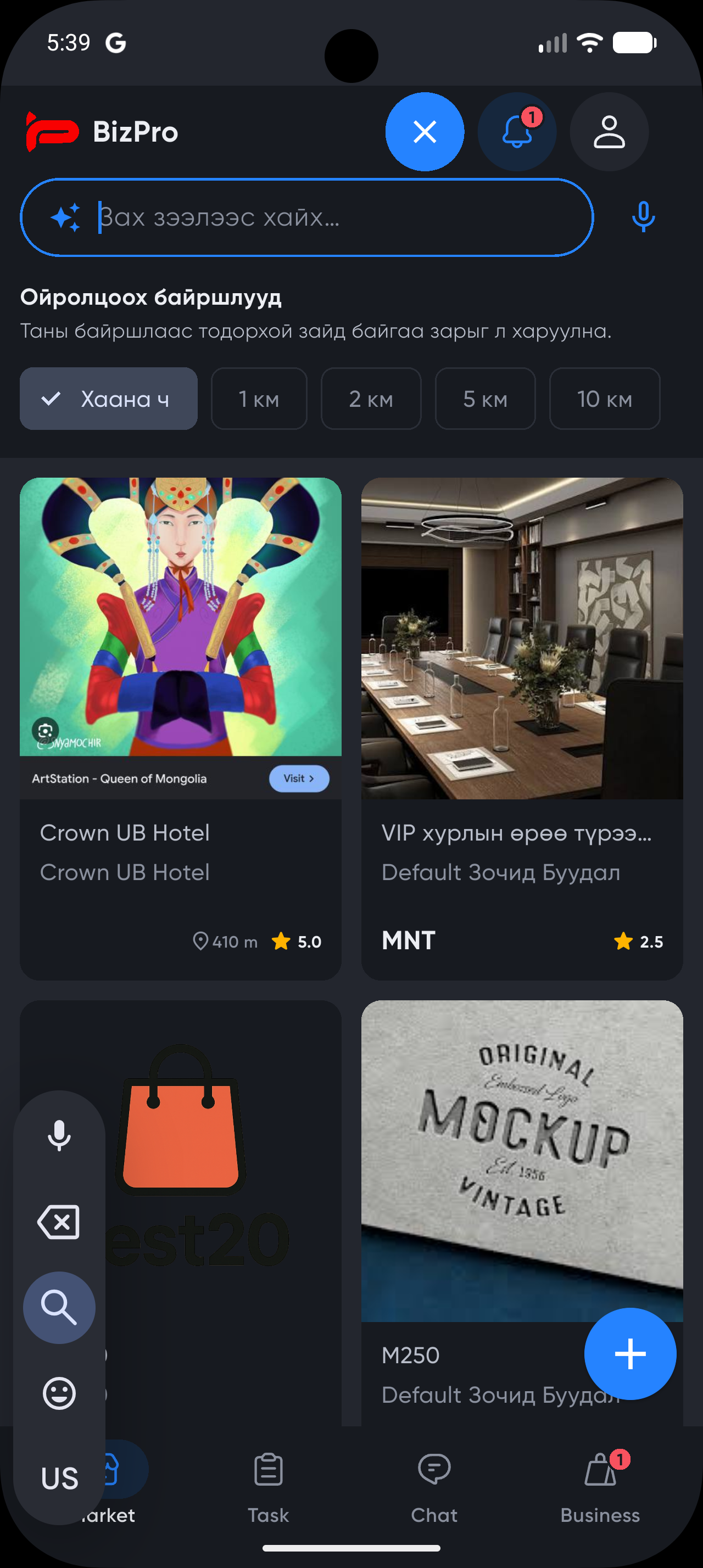
The listing appears in the marketplace with photos, rating and distance. Buyers search and filter; nearby results are ranked by how far away they actually are.
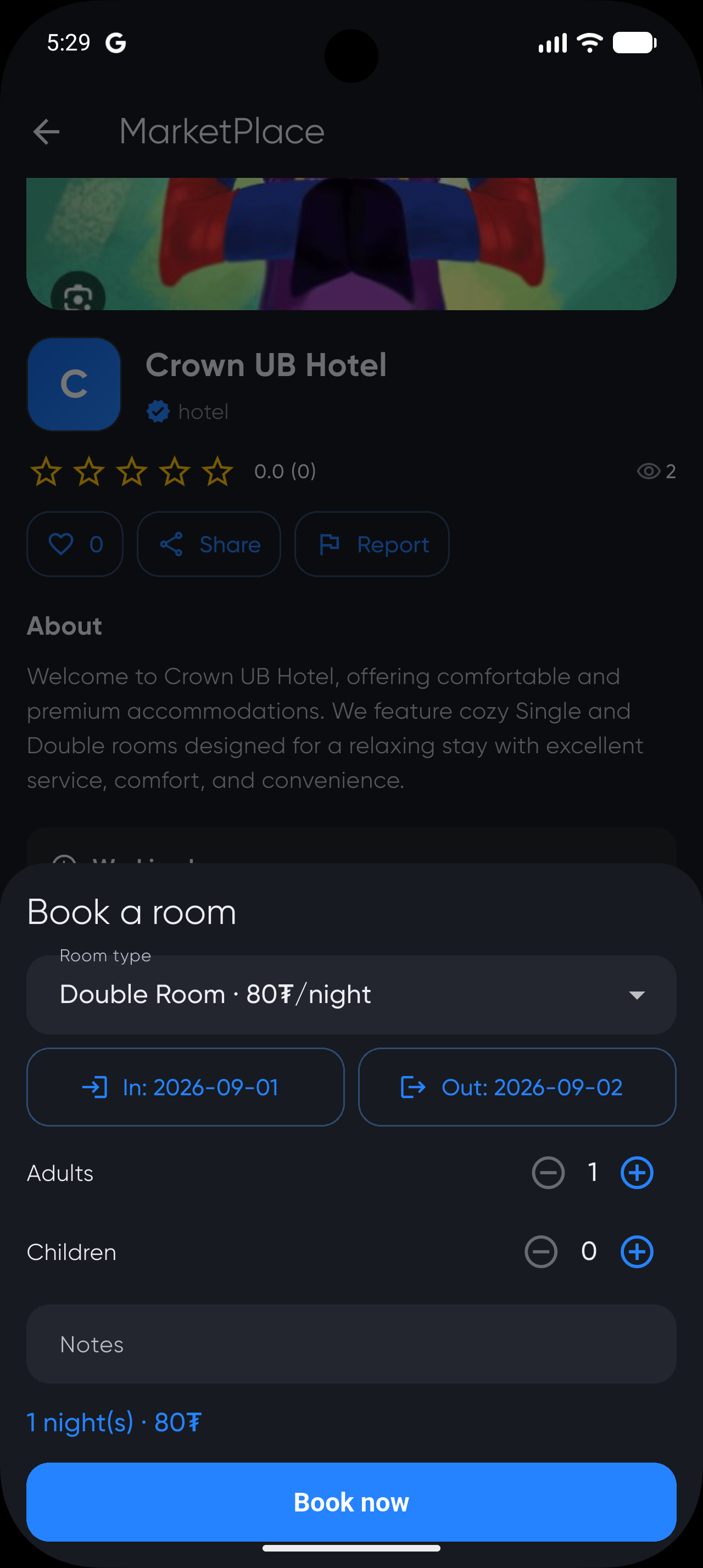
Every listing carries its own actions. A hotel offers room type, dates and guest counts; another business offers something else entirely, because the action comes from that business's own definitions and process.
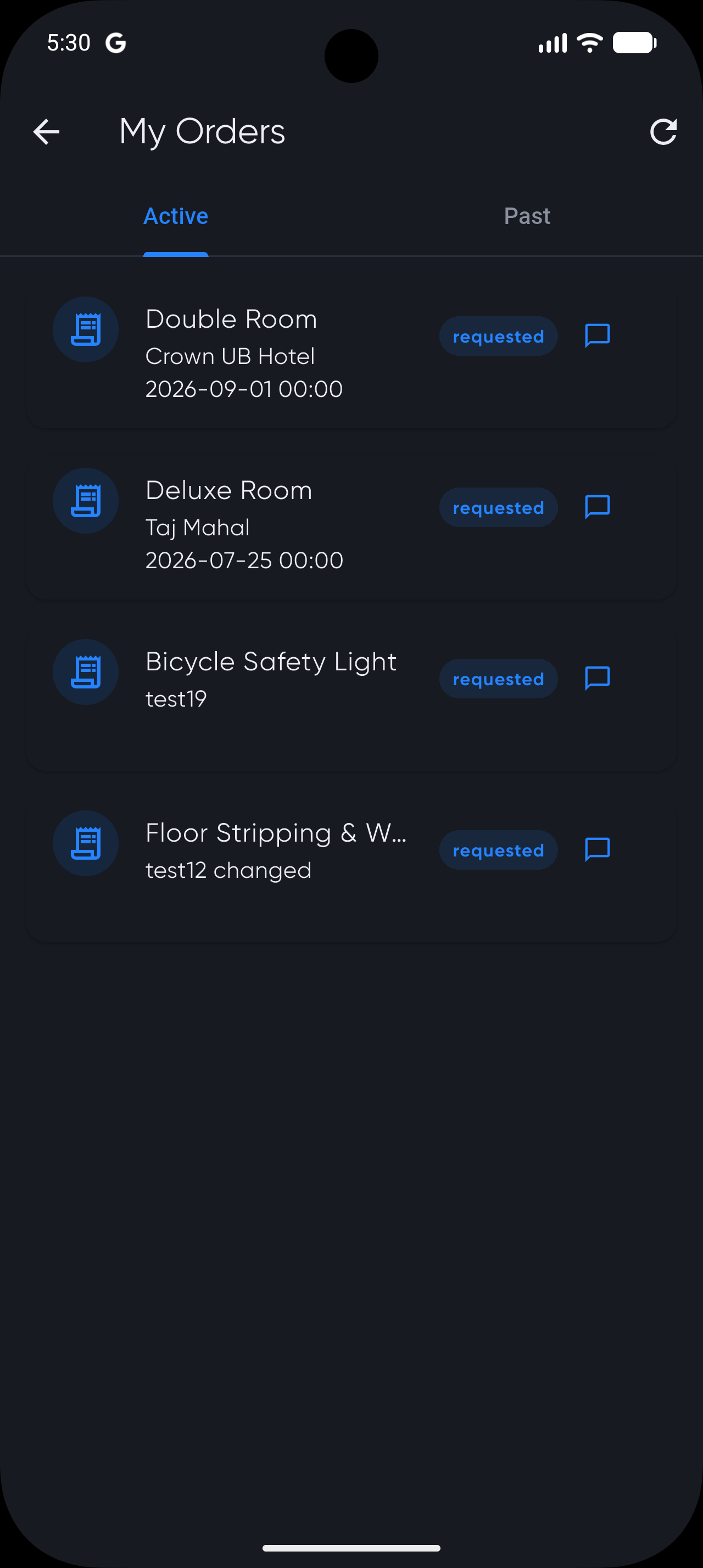
The buyer gets an order list with live status. The seller gets the same order inside their own process — an instance moving through the workflow they published, not an email to re-type.
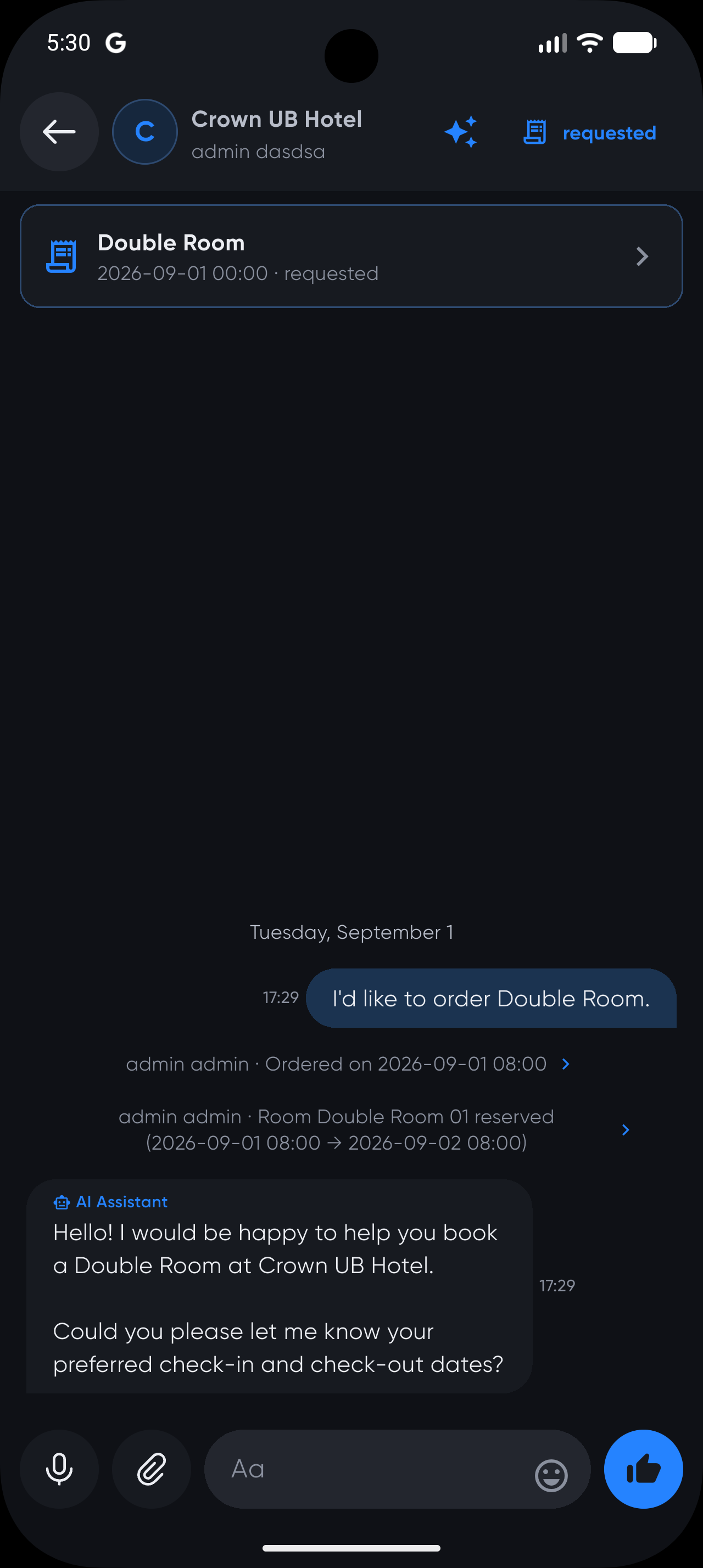
The conversation sits beside the order, with the order pinned to the top of it. Reservation events post into the thread, so the chat and the record never disagree.
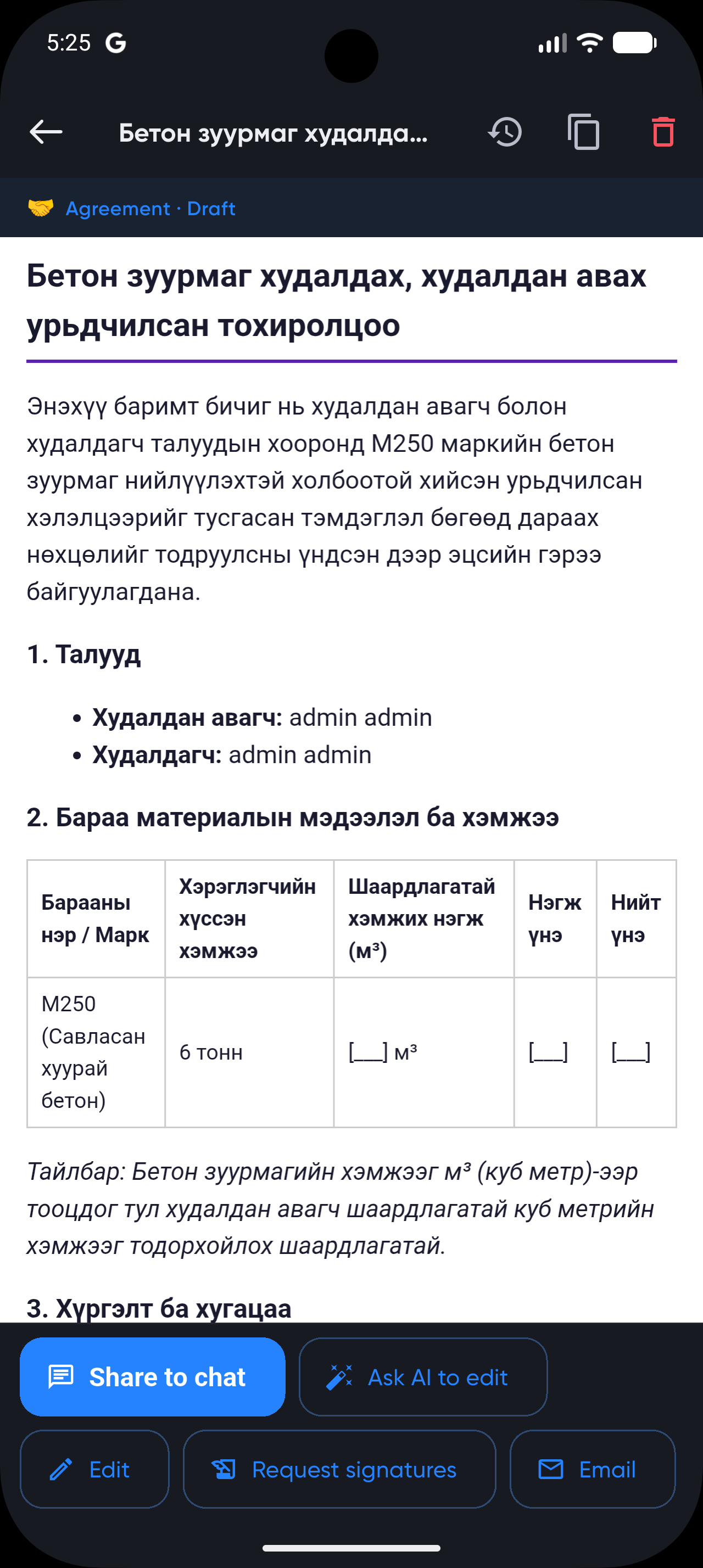
From any thread the assistant can summarise, pull out tasks or order details, draft a reply — or produce a quotation, agreement or contract from what was actually agreed, ready to send back for signature.
Nothing above was hand-built for this walkthrough. The screens are driven by definitions, a BPMN process and a marketplace listing that a person created by describing their business — which is the point: the same nine steps work for a hotel, a workshop, a clinic or a haulier, because what differs between them is configuration.
The same four building blocks, arranged differently.
Leads and accounts, quotations, and the handover into the process that actually delivers what was sold.
Leave, purchasing, access, expenses — routed by rule, approved on a phone, and retained with the reasons.
Requests to scheduled work to a completed job card, including work performed by subcontractors.
Stock across branches, counted with handheld readers, with each tagged item traceable individually.
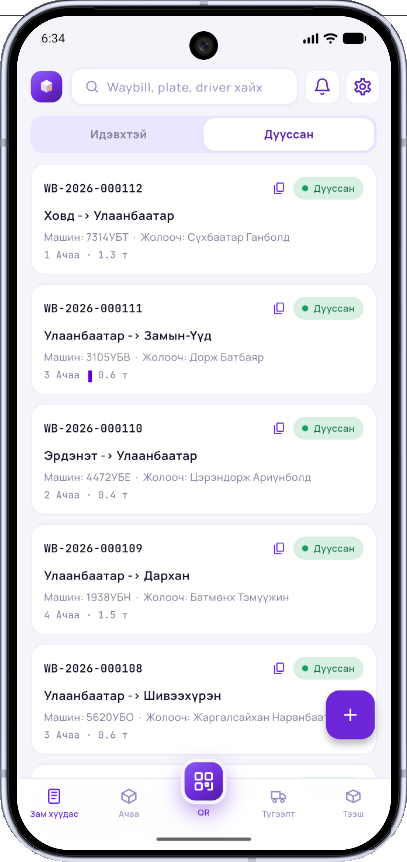
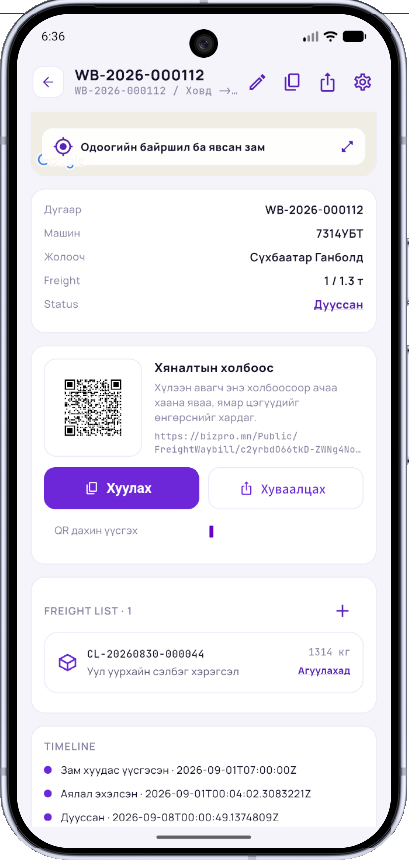
Shipments, trips and handover, tracked by GPS, with a public link the recipient can follow without an account.
Registration, classification and retention of documents, with retrieval across the entire holding.
Buildings, units, occupants, charges and the requests that come with running a property.
The processes no vendor sells because only your industry has them — which is normally where the spreadsheets are.
Three areas under active work.
Transactions, documents, journals and reporting connected to the process and to AI. Compliance and the audit trail are being built as part of the architecture, not bolted on.
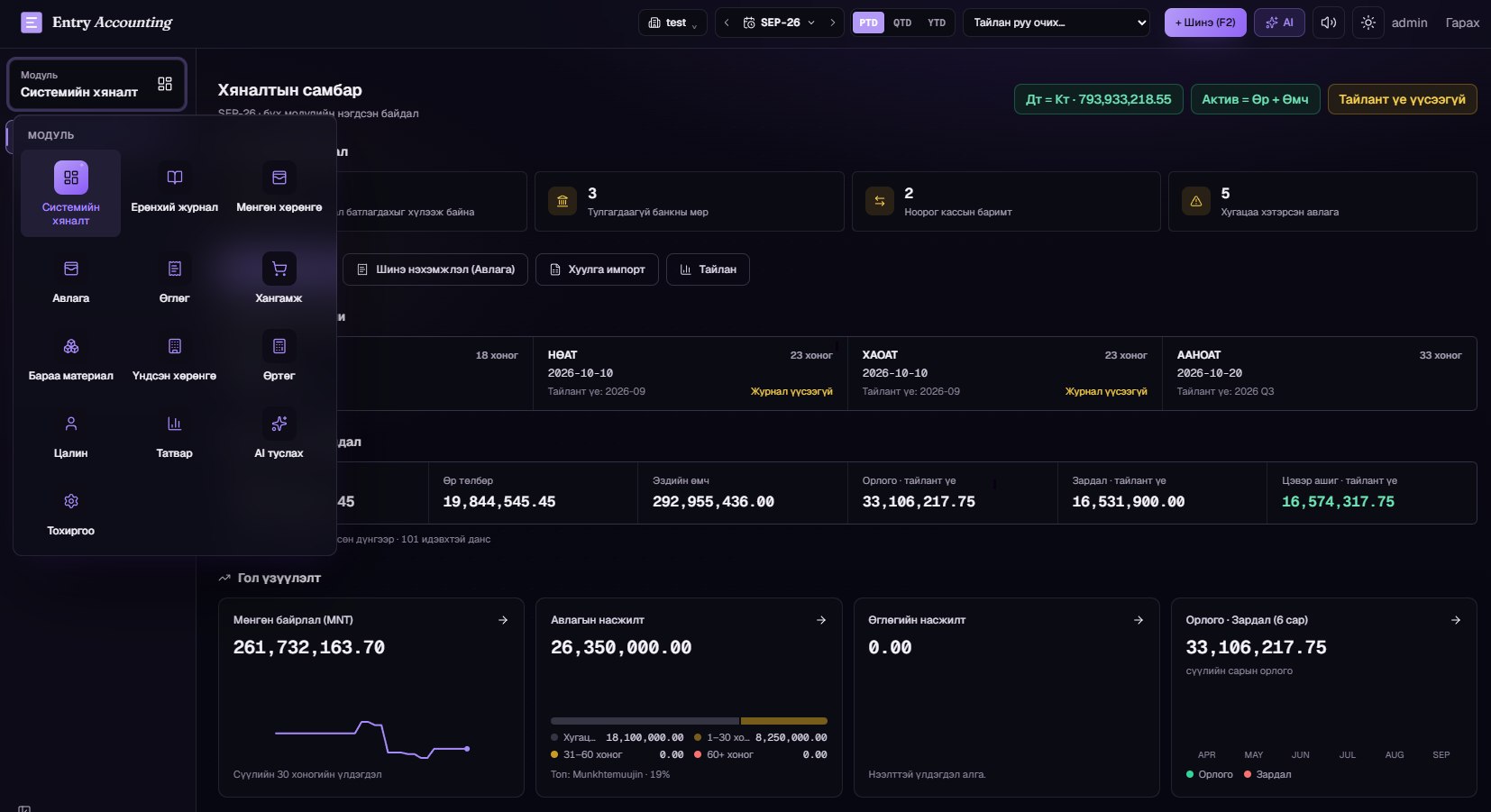
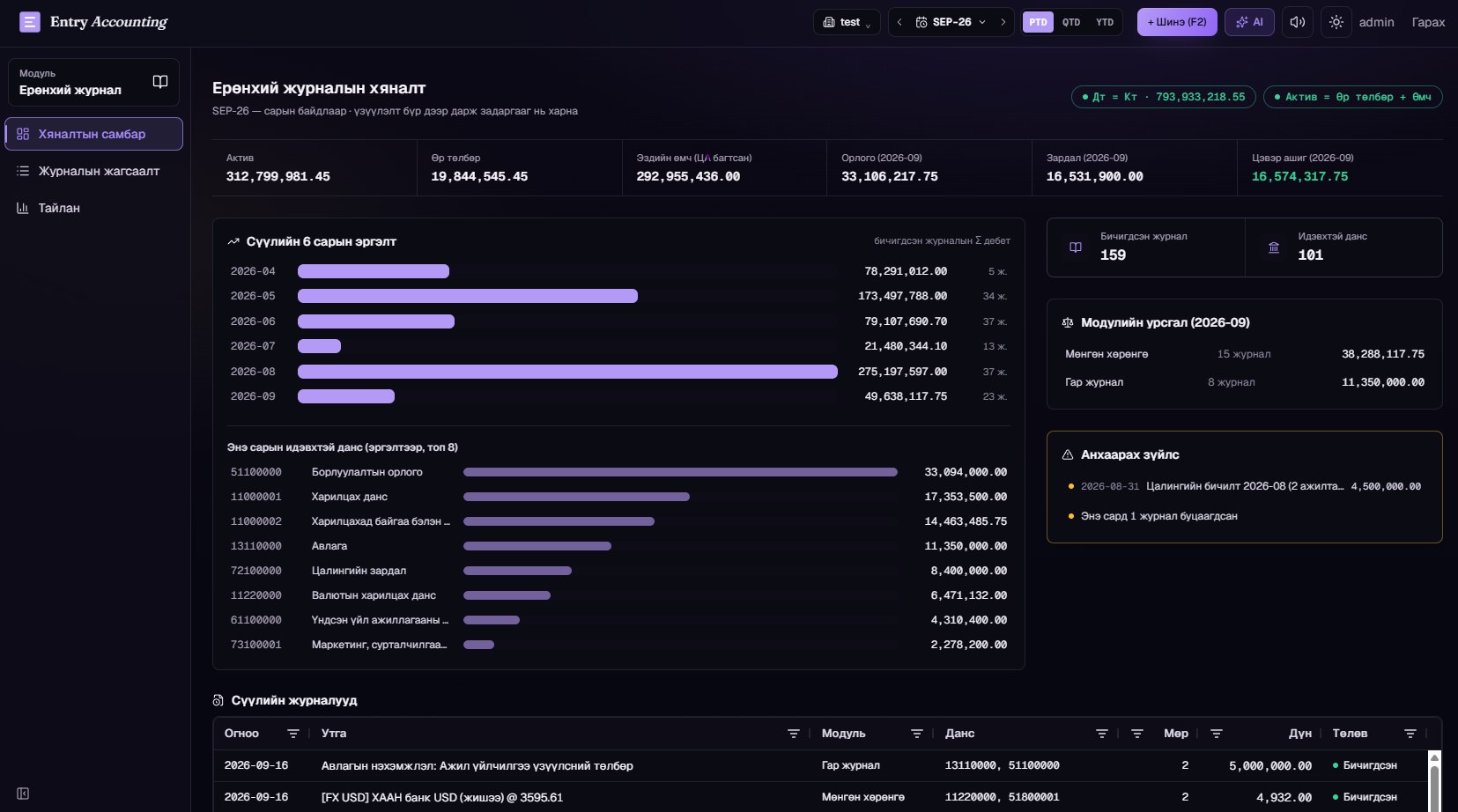
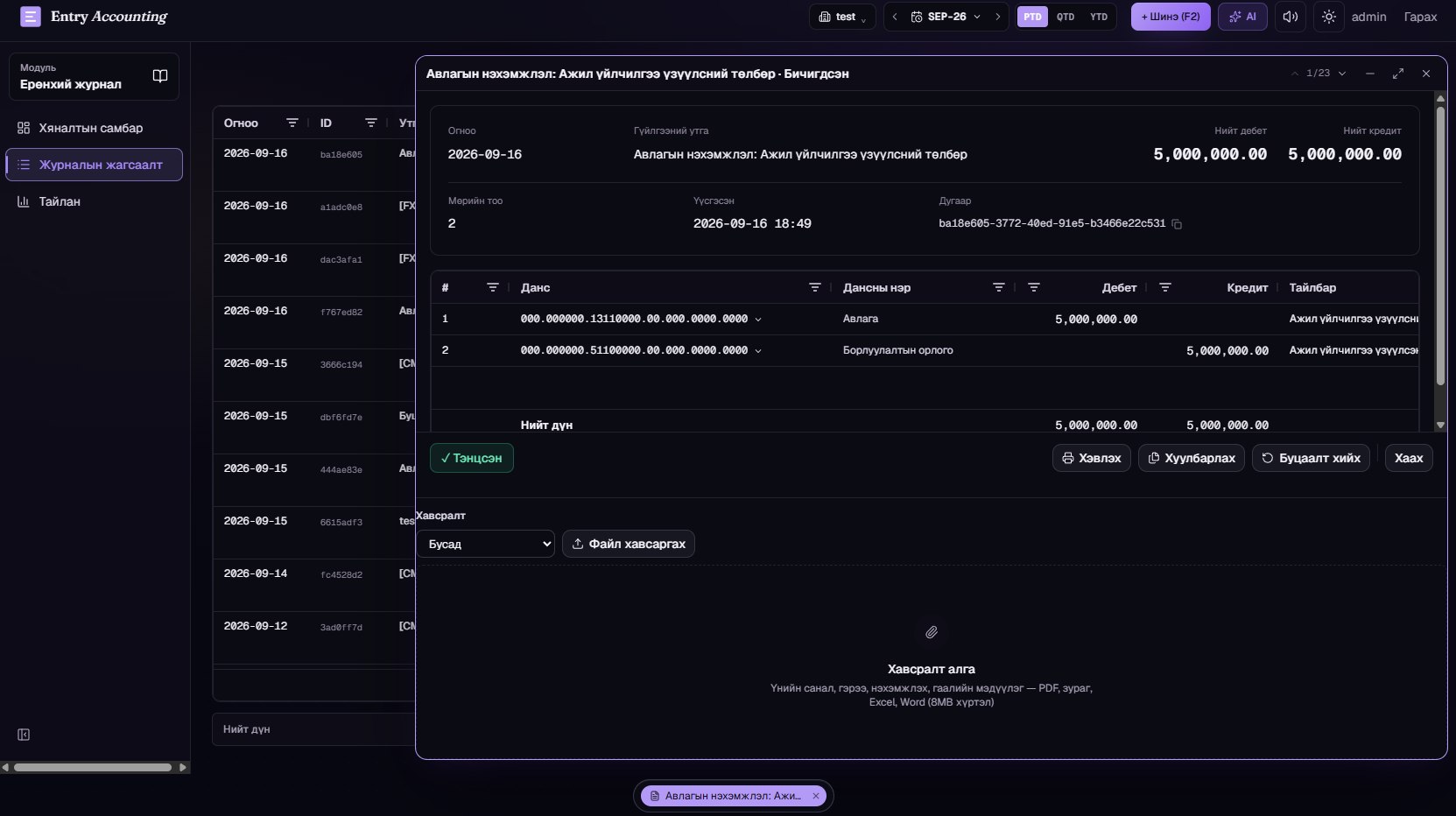
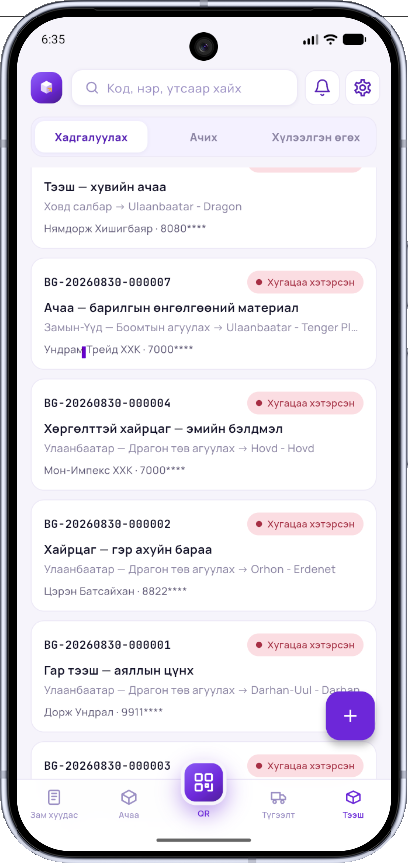
Orders, warehousing, transport, delivery and documents connected across the organisations taking part.
Availability, booking, service and payment for rooms, units and spaces, run as a process.
Three ways in. All of them run on the same platform.
We study your business process and develop it into a system on BizPro.
With the source code where that is what you need.
You have a business idea. The foundation is already there.
Spend your attention on the business, not the code.
Take a module on subscription. Adjust it to your organisation's process where you need to.
Nothing has to be built from scratch.
Most of what a company needs has been built before. An AppModule is that work, packaged — installed in an afternoon and then adapted, rather than specified and built from nothing.
Jobs, sites, crews, schedules and the record of what was actually done, with the field half of it working on a phone.
Companies, contacts, opportunities and the conversations attached to them, connected to the processes that fulfil the order.
Requests, assignment, service history and the equipment being serviced — including work carried out by another organisation.
Stock, branches, movements, counting and sales, including handheld RFID scanning for items tagged individually.
Invoices, settlements, periods and ledgers, with the posting rules and history that an audit expects.
The everyday internal flows — leave, purchase, access, expense — where the value is in the routing and the record, not the form.
Registration, classification, retention and retrieval of documents, with search across the whole holding.
Shipments, trips, vehicles, routes and handover, with GPS tracking and a public link the customer can follow.
A module is a starting point, not a cage. An organisation adds its own fields, changes a form, alters a workflow or replaces a report — and still receives the module's updates, because the changes are recorded as that organisation's overrides rather than as a fork.
Independently of how you get it, you choose where the system and the data live.
We run the application and the database. You register, configure and use it — nothing to operate, updates arrive automatically.
The application runs on bizpro.mn while your data sits in a database you own and control. Suits organisations with data-residency rules but no wish to operate servers.
Application, database and files on your own servers or private cloud, behind your own network. You control upgrades, backups and access entirely.
Today businesses connect their systems through APIs.
BizPro's next step is not only about connecting APIs.
An environment where one organisation's business process continues directly into the next organisation's process.
The BizPro marketplace lets organisations publish what they offer — products, services, bookable capacity — and lets other organisations find it, ask about it and order it. What makes it different from a listing site is what happens after the order: it becomes a real process running in both companies' systems at once, with tasks, status and history on each side. Between two businesses, an agreed BPMN diagram plays the role a protocol plays between two systems — both sides know exactly which step is whose, and neither has to re-type what the other already did.
Search finds an offering whether the customer typed it in Mongolian, English or Chinese, and can narrow by location as well as by words.
Buyer and seller talk in the platform, and the conversation can be turned into an agreed document that both sides sign.
An accepted order starts the seller's own process — so it is scheduled, assigned and tracked like everything else they do.
The marketplace carries business capability as well as products: bookable services, provider capacity, and modules that extend what a company's own BizPro can do.
An order does not end at one organisation.
It goes to the supplier. From there to logistics. The payment to the bank. The receipt to the tax system.
BizPro sees all of that not as separate applications but as one business process that keeps going.
A buyer's order and a supplier's fulfilment are usually two systems and a lot of email. In BizPro they can be one process with two participants: each organisation sees its own steps, works in its own tenant under its own permissions, and neither can read the other's internal data — but the work moves between them without anyone re-typing it.
From software-based business
to process-based business.


Build the process. Run the business.
Процессоо бүтээ. Бизнесээ ажиллуул.
Create flexible business systems, automate the work that moves between people, and grow with Human + AI.
Three ways to reach us. A written request goes straight into the BizPro support queue — the same queue our own team works from.
The AI assistant answers questions for registered users. Register a free organization and you can ask it anything about BizPro — how a module works, what it would cost, how to migrate.
Your question has been sent to us either way — we will get back to you.
A structured description of the platform, its components and how they relate. Written to be read quickly by a technical reader or an AI agent.
BizPro is a multi-tenant, low-code business operating system. Organisations use it to define their own business record structures, model their processes in BPMN 2.0, install and adapt packaged AppModules, and run the resulting system on the web and on mobile. Its distinguishing property is that the system's structure — data definitions, process diagrams, permissions — stays visible and editable at runtime rather than being compiled away, which is what makes both human review and AI participation practical.
Core purpose
Who it serves
Six parts that only make sense together. Data gives work its shape, process gives it order, modules package it, the marketplace connects businesses to each other, and people and AI do the work. The point of the whole: a company grows by improving its processes — so the platform makes processes the thing you can actually improve.
| Component | What it is |
|---|---|
| Dynamic Business Data | The shape of your records, as configuration |
| BPMN 2.0 Process Engine | ISO/IEC 19510 — an international standard |
| AppModules | Packaged business capability you install |
| Marketplace | Where businesses connect — and stay connected |
| Web + Mobile | The same work, at a desk or in the field |
| Human + AI | People decide, AI accelerates, the platform stays legible |
The web application is where systems get built, configured and managed. The mobile apps carry the work that happens elsewhere — on a site, in a vehicle, on a shop floor, in a customer's building. They render the same forms from the same definitions, so a form built once works in both places, and they hold what was entered until there is a connection to send it.
Every business records things: requests, assets, contracts, shipments, visits, incidents. What has to be recorded about them is never settled — a regulator asks for one more field, a new service needs a different form, a branch works differently from the others. In BizPro the shape of a record is data, so changing it is an act of configuration rather than a development project.
BizPro models work in BPMN 2.0 — the notation business analysts already use, drawn on a canvas with start events, tasks, gateways, timers and end events. The difference is that the diagram is not documentation of the system: it is executed by the engine. What was agreed in the diagram is what happens, and when the process needs to change, the diagram is what changes.
Most of what a company needs has been built before. An AppModule is that work, packaged — installed in an afternoon and then adapted, rather than specified and built from nothing.
| Area | What it covers |
|---|---|
| Operations & field work | Jobs, sites, crews, schedules and the record of what was actually done, with the field half of it working on a phone. |
| Customers & sales | Companies, contacts, opportunities and the conversations attached to them, connected to the processes that fulfil the order. |
| Service management | Requests, assignment, service history and the equipment being serviced — including work carried out by another organisation. |
| Inventory & RFID | Stock, branches, movements, counting and sales, including handheld RFID scanning for items tagged individually. |
| Finance & accounting | Invoices, settlements, periods and ledgers, with the posting rules and history that an audit expects. |
| Requests & approvals | The everyday internal flows — leave, purchase, access, expense — where the value is in the routing and the record, not the form. |
| Documents & archive | Registration, classification, retention and retrieval of documents, with search across the whole holding. |
| Delivery & logistics | Shipments, trips, vehicles, routes and handover, with GPS tracking and a public link the customer can follow. |
A module is a starting point, not a cage. An organisation adds its own fields, changes a form, alters a workflow or replaces a report — and still receives the module's updates, because the changes are recorded as that organisation's overrides rather than as a fork.
The BizPro marketplace lets organisations publish what they offer — products, services, bookable capacity — and lets other organisations find it, ask about it and order it. What makes it different from a listing site is what happens after the order: it becomes a real process running in both companies' systems at once, with tasks, status and history on each side. Between two businesses, an agreed BPMN diagram plays the role a protocol plays between two systems — both sides know exactly which step is whose, and neither has to re-type what the other already did.
BizPro is an ASP.NET Core application on PostgreSQL, layered so that the parts a customer changes and the parts we ship are cleanly separated. Definitions, processes and permissions are data in the platform tier; the engine and services below them are the same for every tenant. That separation is what lets one deployment serve many organisations, each with its own shape.
| Tier | What sits in it |
|---|---|
| Clients | MVC web application · Flutter mobile apps · Public links · MCP server for AI agents |
| Application services | HTTP application services · Permission checks · Tenant resolution · Audit capture |
| Platform tier | Dynamic entity definitions · BPMN processes & ProcessApps · AppModules & overrides · Roles and permissions |
| Engines & storage | BPMN execution engine · Query & indexing layer · PostgreSQL · Background jobs & scheduler |
Why the tiers matter for you. Adding a field, changing a process or installing a module touches only the platform tier — no build, no release, no downtime. Upgrades to the engine below arrive without disturbing what you configured above.
BizPro is multi-tenant by design: one deployment, many organisations, and a tenant boundary enforced in the data layer rather than remembered feature by feature. Below are the controls that boundary rests on.
BizPro reports that an independent penetration test has been carried out against the platform and that no issues were found. The specifics below are recorded so a buyer can verify the claim rather than take it on trust.
| Component | What it is |
|---|---|
| Tester | B. Bayanmunkh, cyber-security specialist (independent) |
| Test period | 6 January – 28 February 2024 |
| Scope | The BizPro platform: vulnerability assessment and source-level penetration testing |
| Methodology | Vulnerability assessment; white-box penetration test with access to the source code |
| Provided by BizPro | A test environment with its credentials, and the relevant source code |
| Findings | No issues found |
| Report | Available on request |
Note. BizPro does not hold an ISO certification and does not claim one — ISO/IEC 19510 describes the BPMN notation the engine executes, not a certification of this product. Certification is a matter for an accredited body.
Most business software assumes one company. Large organisations are not one company — they are a group of them, each with its own branches, its own rules and its own reporting line, all needing to work together without merging into a single undifferentiated database.
Three routes, depending on how much you want to own. They can be combined — most customers start with the first and grow into the others.
| Route | What it involves |
|---|---|
| Subscribe and use it | Sign up, pick the modules you need, start working. — Register an organisation on bizpro.mn and configure it yourself; Install the AppModules that match your work; adapt fields, forms and processes; Per-organisation pricing by module and edition, with a free tier to try; Fastest route — usable the same day, no engineering involved |
| Have it built for you | Send us the requirement; we develop it on the platform. — Requirement analysis and process modelling with your own people; Custom modules, processes, integrations and reports built to your specification; Delivered onto the same platform, so it upgrades with everything else; Suits work that is specific to your industry and has no off-the-shelf answer |
| Take the source and build yourself | Get the code, develop in-house, keep the knowledge. — Source access with developer documentation and the platform's own skills library; Consulting and code review from our team while yours comes up to speed; Your developers extend it in the same patterns we do — no fork, no dead end; Suits organisations with their own IT department and a long horizon |
Independently of how you get it, you choose where the system and the data live.
| Option | What it means |
|---|---|
| Use bizpro.mn as SaaS | We run the application and the database. You register, configure and use it — nothing to operate, updates arrive automatically. |
| Our application, your database | The application runs on bizpro.mn while your data sits in a database you own and control. Suits organisations with data-residency rules but no wish to operate servers. |
| Everything on your own infrastructure | Application, database and files on your own servers or private cloud, behind your own network. You control upgrades, backups and access entirely. |
The concrete capabilities, one row each. Every one of these is in the product today, not on a roadmap.
| Component | What it covers |
|---|---|
| Dynamic Business Data | Record types, fields, forms and validation defined at runtime; one definition drives web, mobile, lists, search and reports. |
| BPMN 2.0 engine | Executes ISO/IEC 19510 standard BPMN: user tasks, service tasks, timers, gateways, error events, versioned processes. |
| ProcessApps | A process packaged with its forms and screens as a runnable application, with per-instance history. |
| AppModules | Complete business areas — data, processes, permissions, screens, mobile — installed per organisation. |
| Per-tenant customisation | Extra fields, custom forms, altered workflows recorded as overrides, so a shared module still receives updates. |
| Marketplace | Publishing, multilingual discovery, in-platform chat, orders that start real processes on both sides. |
| Cross-tenant processes | One BPMN collaboration with participants in different organisations, each inside its own tenant boundary. |
| Integrations & connectors | Outbound API steps, verified inbound callbacks, reusable connectors, device feeds (GPS, RFID, scanners). |
| AI development | In-product assistant that drafts definitions, forms, processes and screens for human review before apply. |
| MCP server | The platform's capabilities exposed to external AI agents as tools, under the same permission model. |
| Ontology & module agents | Concept Contracts give each module's records a meaning, relations and terms; a named agent per module, configured on the Host, reads them by meaning and proposes what a person confirms. |
| Audit & history | Record versions, process replay, task-level attribution, retained approvals. |
| Web + mobile | Flutter apps rendering platform-defined forms natively, with an offline outbox and duplicate-send protection. |
What building on the platform looks like. The samples below are illustrative of the shapes, not a copy-paste API reference — but each corresponds to a real mechanism in the product.
{
  "key": "srv_request",
  "name": "Service request",
  "fields": [
    { "key": "requester",     "type": "user",      "required": true },
    { "key": "site",          "type": "reference", "to": "srv_site" },
    { "key": "priority",      "type": "select",    "options": ["low", "normal", "high"] },
    { "key": "warrantyUntil", "type": "date" }
  ]
}
<bpmn:process id="order_qpay" isExecutable="true">
  <bpmn:startEvent       id="start" />
  <bpmn:userTask         id="order"     name="Order" />
  <bpmn:serviceTask      id="pay"       name="QPay payment" />
  <bpmn:exclusiveGateway id="paid"      name="Paid?" />
  <bpmn:endEvent         id="received"  name="Order received" />
  <bpmn:endEvent         id="cancelled" name="Order cancelled" />
  <bpmn:sequenceFlow sourceRef="paid" targetRef="received"  name="yes" />
  <bpmn:sequenceFlow sourceRef="paid" targetRef="cancelled" name="no" />
</bpmn:process>
POST /api/services/app/<AppService>/<Method>
Authorization: Bearer <token>

{ "resource": "srv_request",
  "filter":   "priority == 'high'",
  "sorting":  "creationTime DESC" }
Because all three shapes are explicit and standard, an AI agent can generate them, a person can read them, and the platform can validate them before anything runs.
When AI writes an application as code, reviewing it means reading code — which is slow, and which most of the people who actually know the business cannot do. In BizPro, what AI produces is a process diagram, a set of field definitions, a permission set and a screen. A manager can look at the diagram and say the approval step is missing. That is a review anyone can perform, in minutes.
The platform's structure is what makes AI participation productive. An AI agent working here composes existing platform primitives — definitions, processes, modules, permissions — instead of generating an application line by line, and every artefact it produces has a human-readable form.
BizPro exposes a machine-facing surface as a first-class part of the platform, not a bolt-on: a Model Context Protocol server that an external AI agent connects to in order to read the platform by meaning, validate a proposed change, and propose it for a person to confirm. It runs as its own process, so it can be restarted, disabled or removed without touching the web application — and it serves the same catalogue the assistants inside the product use.
The catalogue today — 99 tools, grouped by what they are for:
| Group | Purpose | Examples |
|---|---|---|
| Discovery | What exists and what this caller may see | list_app_modules, get_module_context, list_integration_connectors |
| Inspection | Read a definition, a process, rows, a page version | get_process_bpmn, get_resource_definition, query_resource |
| Knowledge | Answer from the platform's own documentation, or from the tenant's own documents, with citations | search_bizpro_knowledge, search_knowledge_documents |
| Validation | Prove an artefact is well-formed before anyone commits to it | validate_bpmn, validate_page_version |
| Change sets | Stage, preview and apply a change as one reviewable unit | create_change_set, preview_change_set, apply_change_set |
| Semantic | Read by meaning: which record, what it holds, what relates to it, what a process does | semantic_resolve, semantic_search, semantic_neighbors, explain_process |
| Proposals | Ask for a change that a person confirms | semantic_execute, start_process |
| Accounting | Read the posted ledger, gated on accounting permissions and the tier | acc_trial_balance, acc_open_items |
Every tool declares two independent things — what it does, and what it costs to be wrong. They are separate axes because two write tools can sit at very different levels, and the operator reading an audit page cares about the second question:
Alongside the tools, the platform ships its own written knowledge: 17 skills, each routing to the reference material for one area of the system, and 14 agent role definitions naming the skills a given role must load before it works. This is what an agent reads to become competent here — the same material a new engineer reads. Two roles are mandatory rather than advisory: anything touching accounting, audit history or tenant isolation loads the compliance role, and anything touching authorization or tenant scoping loads the security reviewer.
What an agent cannot do, structurally rather than by policy:
Connecting an agent:
1. Obtain a JWT from the API host — the same token the REST API accepts.
2. Point the MCP client at the server host with that token as a bearer credential.
3. Call get_system_version to confirm protocol revision and tool counts; read bizpro://ontology for what the records mean.
4. Call get_module_context first — ids, keys and module codes must come from it, not be guessed.
5. Read before writing: semantic_resolve, then semantic_describe and search_bizpro_knowledge.
6. Validate, then propose — a change set for structure, semantic_execute or start_process for data — and hand it to a person to confirm.
The design assumption is that an agent is capable and fallible. So the platform makes the useful things easy to discover and the dangerous things impossible to reach, and puts a person at the single point where a proposal becomes reality.
Every AI feature in BizPro — the setup assistants, the module agents, the support chat, the MCP server for outside agents — runs on one stack. Six layers, each with one job, and none of them takes over another's.
| Tier | What sits in it |
|---|---|
| Ontology — Meaning — what a module author writes | One Concept Contract per module (module.yaml) · Concepts, properties, relations, actions · Terms in mn / en, schema.org alignments · Compiled into the platform catalogue, exported as JSON-LD |
| Semantic layer — Reads, by meaning | semantic_resolve · describe · search · semantic_neighbors — relation walks · explain_process — a diagram, step by step · Every read through the person's permissions and tenant |
| Knowledge — What an assistant may quote | Skills and agent roles (.ai/) · Module guides · The tenant's own documents · Hybrid retrieval: full-text + trigram + vectors, rank fusion, numbered citations |
| Module agents — Who is speaking | One named agent per AppModule, configured on the Host · Persona, languages, toolsets, skills · Renamed per tenant · Guided setup recipes as data |
| Actions — Proposals a person confirms | An agent proposes: a draft journal, an account, a process start, a row · A person confirms on Pending AI actions — in the browser only · Idempotent, expiring, audited under one correlation id · Approve, apply and rollback stay out of every agent's reach |
| Surfaces — One catalogue, three doors | MCP server for outside agents · Support chat and module assistants inside the product · Developer chat · The same tools, the same permission checks, the same audit |
Every layer above is in the product today, with its tests — not on a roadmap. The design is documented phase by phase in the platform's development plan.
Capability summary
Architectural consequences
BizPro records the working history alongside the work. Every record keeps its versions, every process instance keeps the path it took and the people who acted at each step, and every screen shows only what the viewer's permissions allow. This is what makes a system usable as evidence rather than only as a place to type.
BizPro is designed with security and governance in mind and supports traceable, compliance-oriented operations — permissions, tenant separation, retained history and recorded approvals. Specific certification claims are a matter for a certification body, and we do not make them here.
We learn from real projects and keep improving the platform from what they teach us.
| System | What it does |
|---|---|
| USUG | Inspection and monitoring system — Field inspection, recording, oversight and reporting in one flow. |
| Mobicom (Single Tenant) | Site management system — Every step from planning a network site to putting it on air, run from one system. |
| CU · Operation Portal (Multi Tenant) | From a complaint to a resolution — Suggestions, complaints and hazard reports from the branches become work, get assigned, and are followed to completion. Connected to the CallPro call centre. |
| CU · Vendor Portal (Single Tenant) | A supplier's whole process in one place — A supplier registers itself, offers products, signs a contract, then runs supply and reconciliation through one portal. |
| Chipmo (Multi Tenant) | RFID-based retail — Every physical piece carries its own tag, so stock, counting, branch transfers and sales all rest on real movement rather than on typing. |
| Chipmo Asset Management | RFID-based asset management — The same tag mechanism applied to assets: every asset carries its own tag, and where it is, what state it is in and who holds it are updated by each read. |
| JapanTire | RFID-based tyre ordering and delivery — From an online order through tag movement in the warehouse to delivery, in one flow. Runs on the Chipmo module's online sales channel. |
| Remicon | Concrete orders, delivery and GPS — One process from the order through the plant, the truck and the delivery. With Flespi GPS data, the truck's position changes the delivery state by itself. |
| KHUN Party (Single Tenant) | A social platform — Members' meetings, activity, surveys, training and groups connected inside one app. |
| Associations | Membership and community management — Membership, groups, activity and announcements for an organisation with many members, managed in one system. On the same foundation as the KHUN Party app. |
| RentPay | Rental listings and a tenant's ability to pay — Listings, tenants and landlords held on one platform. A tenant's ability to pay is evidenced from social-insurance contributions and a bank statement, and a co-tenant can be added. |
| AutoBox | The unified transport system — The National Road Transport Centre's public portal. A citizen or a company registers once, then obtains cross-border permits for cargo, passenger and tourist transport, organises the transport itself, joins the border-crossing queue, books tickets and sits the professional driver's exam — all through one door. |
| BeLogic | AI Business Assistant — An AI assistant that turns a business conversation into an offer, a quotation, an approval, a document and the next piece of work. |
An outside system can be called from inside a BizPro process. Wire it up once and every later process reuses it.
| Channel | What it connects to |
|---|---|
| SMS | Unitel · SkyTel · Mobicom · G-Mobile · Twilio — Send an SMS or a notification from a process. Unitel and SkyTel are direct; other domestic networks go through an aggregator gateway; international goes through Twilio. |
| Call centre | CallPro — Ties calls, operator work and customer requests to the process. Running on CU's Operation Portal. |
| Payments | QPay · PayPal · Stripe — Raise a payment, check its state, carry on with the process. |
| Corporate banking | Khan Bank · Golomt Bank — Pull statements and reconcile transactions; make transfers where the bank supports it. |
| Mongolian state systems | e-Mongolia · DAN · KHUR · XYP · e-Barimt 2.0 — Connects state lookups, citizen sign-in and tax receipts to a business process. A citizen signs in with DAN, e-Mongolia's identity; reference data comes from KHUR; tax receipts are issued through e-Barimt. |
| IoT and devices | RFID reader · Printer · Smart door · GPS · Flespi · Wialon · SmartGPS · and more — Devices report straight into the process. A tag that was read, a label that was printed, a truck's position: each moves the next step by itself, with nobody typing it in again. |
Three areas under active work.
An environment where one organisation's business process continues directly into the next organisation's process.
Conceptual relationships
Dynamic Business Data  ->  defines flexible business structures
BPMN 2.0 Process       ->  defines process behaviour over those structures
AppModules             ->  package data + process + permissions + screens as capability
Marketplace            ->  distributes capability and connects organisations
Web + Mobile           ->  deliver the same definitions to desk and field
Human                  ->  defines intent, reviews, decides, remains accountable
AI                     ->  accelerates generation and optimisation within that structure
BizPro is a low-code business operating system for Human + AI. Dynamic Business Data makes structure changeable, BPMN 2.0 makes behaviour explicit and executable, AppModules make capability reusable, and the marketplace makes it shareable between organisations. Because all four stay visible at runtime, a person can review what the system does — and an AI agent can extend it against a structure that already exists rather than inventing one.